Desk pain has different causes for the neck, wrists, and lower back, so the fix that helps most depends on where it hurts. Here's the order to buy in, cheapest and free fixes first, based on which mismatch is actually causing the pain.
A monitor arm clears the desk of a stand's footprint and gets cables off the desktop, but only if the clamp fits your desk and the arm can actually carry your monitor. Here's how to match both before you buy.
The right fix depends on what's already in your walls, not on which technology sounds newest. Here's the fast decision path, the wiring gotchas nobody mentions, and one solid pick for each route.
Wi-Fi 7 is real, but the "46 Gbps" marketing number isn't the reason to care. Here's a plan-speed-mapped verdict, a two-minute compatibility check, and three routers worth actually buying.
Reviews compare real measured wattage, GaN size versus old-style bricks, and airline rules across USB-C chargers, from pocket cubes to multi-port desk stations, to find the one that actually fits how you charge a laptop and phone together.
A generation by generation compatibility guide to the Pencils, keyboards, cases, and hubs that actually pair with your iPad Air, and exactly which older accessories will not.
Three complete monitor, arm, and webcam setups at three real price points, with the panel type, measured brightness, and USB-C charging wattage that actually matters at each tier.
The six products that actually clear a desk (a monitor arm, three cable-management pieces, a desk-clamp power strip, and a clamp-on light bar) with the setup order and the full cost as of writing.
Five webcams under $150 compared on sensor size, real low-light performance from buyer reviews, and which ones secretly need their companion app running to look good.
Five wireless mice compared against real hand-size cutoffs, from an under-$25 budget pick to a 63g competitive gaming mouse, with the popular models that are simply too big for smaller hands called out by name.
Five switches that answer what the NAS and mesh guides only gesture at: how many ports you actually need, unmanaged versus managed, and when 2.5GbE is worth the extra money.
Mesh WiFi replaces one router shouting from a closet with several networked nodes that hand your devices off seamlessly, and this guide explains how it actually works alongside four verified systems at three price points.
A docking station replaces your desk's cable pile with one plug: here's what it actually does, whether you need one over a plain USB-C hub, and which dock fits your laptop and budget.
The complete parts list for a home Plex server, two realistic routes (an Intel NAS or a mini PC with a drive enclosure), and honest numbers on transcoding, electricity, and what Plex itself now costs.
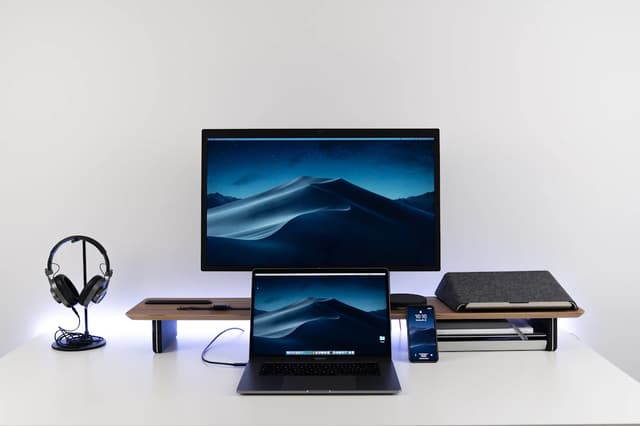
The full parts list and walkthrough for a two-monitor laptop desk: the one spec-sheet check that decides everything, the dock, the cables, the arm, and the settings on both Windows and Mac.
The ranked upgrade path for people who live on Zoom, Meet, and Teams: free fixes first, then a $50 to $75 light, a $30 to $50 mic, a 4K webcam, and an under-$50 stand, each with a self-test to prove it is actually your bottleneck.
Six USB mics compared across budgets, from an under-$30 call upgrade to a $250 to $300 broadcast-grade dynamic, with plain-language pickup pattern advice and the real complaint behind each pick.
Five docking stations compared for the home office, from a $30 to $50 dual-monitor hub to the $300 to $400 Thunderbolt gold standard, with the honest tradeoffs on display bandwidth and laptop charging.
Five external drives compared on price per terabyte, real transfer speeds, and what buyers actually complain about, from an under-$75 pocket drive to an 8TB desktop archive.
RAID explained in plain English: what a mirror and parity actually protect against, why RAID is not a backup, and the two NAS-rated drives to build your first array with.
A KVM switch runs two or more computers from one keyboard, mouse, and monitor. Here is how they work, what to look for, and the five best HDMI KVM switches.
An HDMI matrix routes several sources to several displays independently. Here is how it works, what to look for, and the four best HDMI matrix switches.