




A monitor is the one piece of a home office that touches every hour of the workday, and it is also the piece most buying guides get lazy about, either mashing budget, 4K, and ultrawide picks into one undifferentiated list, or drawing an arbitrary price ceiling and calling it a day. This guide works differently: three complete desk setups, monitor, arm, and webcam, at three real price tiers, so you can pick the one that matches your budget and stop shopping.
Every monitor here is a 27-inch USB-C panel, because that single-cable laptop docking is what most WFH setups actually need: one cable that carries video, data, and enough power to charge the laptop while you work. What changes as you spend more is the panel resolution, the brightness and color accuracy, the wattage of that USB-C charging, and how well the arm and webcam that round out the desk hold up over years of daily use.
What to Look For
The single decision that matters most is USB-C Power Delivery wattage, because it determines whether one cable can actually replace your laptop charger. A 65W monitor comfortably charges most 13 and 14-inch work laptops while driving the display, but a power-hungry 16-inch machine under load can still slowly drain on 65W. A 96W monitor closes that gap. Check your laptop's charger rating before assuming any USB-C monitor covers it.
Size and resolution are one decision, not two. At 24 inches, 1080p still looks sharp because pixel density is high; stretch that same 1080p pixel count to 27 inches and text starts to look soft, which is why the budget tier here pairs its 27-inch panel with a 100Hz refresh rate to compensate rather than pretending the resolution isn't a tradeoff. At 27 inches, 4K is where text and fine detail genuinely sharpen up for spreadsheet and code-heavy work. Beyond 27 inches, most people are better served by dropping to 1440p than by paying for 4K pixel density they'll sit too far away to see.
Ultrawide versus dual monitors comes down to how you actually use screen space. An ultrawide gives you one continuous canvas, better for video editing timelines or wide spreadsheets, with no bezel splitting your view. Two separate monitors are cheaper to buy incrementally and easier to angle independently for reading versus reference material. If you regularly switch between a work laptop and a separate desktop on the same screen instead, that's a job for a KVM switch, not a second monitor.
Eye comfort is a real spec, not marketing fluff, if you're staring at the panel for eight hours. Look for a flicker-free backlight, a matte anti-glare coating over glossy glass, and a low-blue-light or eye-care mode you can toggle for evening work. Brightness matters here too: a monitor that only hits 300 cd/m2 will wash out under overhead office lighting or a sunny window, which is worth knowing before you buy, not after.
Budget Tier: Under $260
This tier proves you don't need to spend $400 to get real single-cable laptop charging. The whole setup lands at about $256.97, and the standout spec is the monitor's 65W USB-C Power Delivery, a figure that's genuinely rare below $200.
Monitor: BenQ GW2786TC 27" IPS FHD USB-C Monitor
The GW2786TC(benq-gw2786tc-27-ips-fhd-usb-c-monitor) is a 27-inch IPS panel running 1920x1080 at 100Hz, with 65W USB-C Power Delivery, a DisplayPort daisy-chain output, and a built-in noise-cancelling mic and eye-care modes. Brightness is rated at 260 cd/m2 typical, up to 300 cd/m2 peak, which is enough for a normally lit room but will wash out in direct sun. The most common complaint in reviews is the wide triangular base eating desk space, worth measuring for before you order.
✓ Pros
- ✓ 65W USB-C carries video, data, and laptop charging over one cable
- ✓ 100Hz refresh is noticeably smoother than the 60Hz norm for office monitors
- ✓ Built-in noise-cancelling mic and eye-care modes are genuinely useful on calls
- ✓ Daisy-chain DP-out lets you add a second monitor later without a new dock
✕ Cons
- ✕ 1080p looks visibly softer than the 4K picks at this same 27-inch size
- ✕ The wide triangular base eats desk space on smaller desks, a recurring complaint
- ✕ Brightness tops out around 300 cd/m2, so it washes out in a sunlit room
Monitor Arm: HUANUO Single Monitor Arm (Gas Spring, 13-34")
At about $49.99, the HUANUO arm(huanuo-single-monitor-arm-adjustable-desk-mount-13-34) holds 4.4 to 19.8 pounds, comfortably within the GW2786TC's weight, and clamps or grommet-mounts with a 75mm or 100mm VESA pattern. It's the most-reviewed arm in this build. The recurring complaint is spring sag after 6 to 12 months of daily height changes, fixable with a spring-tension re-tighten using the included hex key, but worth knowing going in.
✓ Pros
- ✓ Gas spring holds a 27-inch monitor's weight without drifting once tensioned
- ✓ Frees up desk depth by clamping to the edge instead of using a footed stand
- ✓ Tool-light setup with a choice of C-clamp or grommet mounting base
✕ Cons
- ✕ Gradually sags after 6 to 12 months of daily height changes for many owners
- ✕ The cable channel is tight for a chunky USB-C or power-brick cable
Webcam: Logitech C270 HD Webcam
The C270(logitech-c270-hd-webcam) is a plug-and-play 720p webcam at 30fps with a 55-degree field of view and a noise-reducing mic good for one-on-one calls. It costs about $26.99, freeing up budget for the monitor and arm. The two complaints buyers raise most are the capped 720p resolution and the lack of a physical privacy shutter, both fair tradeoffs at this price but worth knowing if either matters to you.
✓ Pros
- ✓ Dependable plug-and-play with no driver install needed
- ✓ Noise-reducing mic is fine for one-on-one video calls
- ✓ Clips easily onto the GW2786TC's slim top bezel
✕ Cons
- ✕ Capped at 720p, which looks soft next to the 1080p and 4K webcams above it
- ✕ No physical privacy shutter, a complaint reviewers raise often
- ✕ Struggles in low light without added desk lighting
Who should stop here: anyone whose laptop draws 65W or less under normal use, who doesn't need 4K sharpness for close text work, and who wants a complete single-cable desk for under $260.
Mid-Range Tier: Around $435
This is where 4K sharpness enters the picture without giving up single-cable charging. The full setup runs about $434.97, and the jump over the budget tier is almost entirely about resolution and build quality, not charging wattage, which stays at 65W.
Monitor: Dell S2722QC 27" 4K USB-C Monitor
The S2722QC(dell-s2722qc-27-inch-4k-usb-c-monitor) packs 3840x2160 resolution into the same 27-inch size as the budget pick, plus 65W USB-C via DisplayPort Alt Mode, a full height/tilt/swivel/pivot stand, and AMD FreeSync. Brightness is rated at 300 cd/m2 typical. The most common complaint by far is the built-in speakers, widely described as thin and tinny, so plan on a headset or real speakers regardless of tier.
✓ Pros
- ✓ 65W USB-C delivers 4K video, USB data, and laptop charging over one cable
- ✓ 3840x2160 detail makes spreadsheets and code noticeably easier to read than 1080p
- ✓ Full height, tilt, swivel, and pivot stand covers most ergonomic needs out of the box
- ✓ AMD FreeSync reduces tearing during screen shares and video playback
✕ Cons
- ✕ 60Hz refresh and an 8ms response time draw regular complaints for fast motion
- ✕ Built-in dual 3W speakers are thin and tinny; most buyers add real audio
- ✕ The listed HDR support doesn't deliver a genuine high-brightness HDR experience
Monitor Arm: WALI Single LCD Monitor Gas Spring Desk Mount (GSM001)
The WALI GSM001(wali-single-lcd-monitor-gas-spring-desk-mount-gsm001) is rated for up to 27-inch panels and 14.3 pounds, sized right at the S2722QC's weight, for about $44.99. Its cable channel routes the Dell's thick USB-C cable cleanly to the desk edge. The rating sits right at the edge of the monitor's weight, so spring tension needs careful calibration during setup rather than a one-and-done tighten.
✓ Pros
- ✓ Cable channel routes the Dell's thick USB-C cable cleanly to the desk edge
- ✓ Steel and aluminum build feels sturdier than the price suggests
- ✓ Smooth gas-spring tension holds position without drift once set
✕ Cons
- ✕ The 14.3 lb rating is right at the edge for the S2722QC's weight
- ✕ Base clamp needs a fairly thin desk edge, a complaint from thick-desk owners
Webcam: Logitech C920s HD Pro Webcam with Privacy Shutter
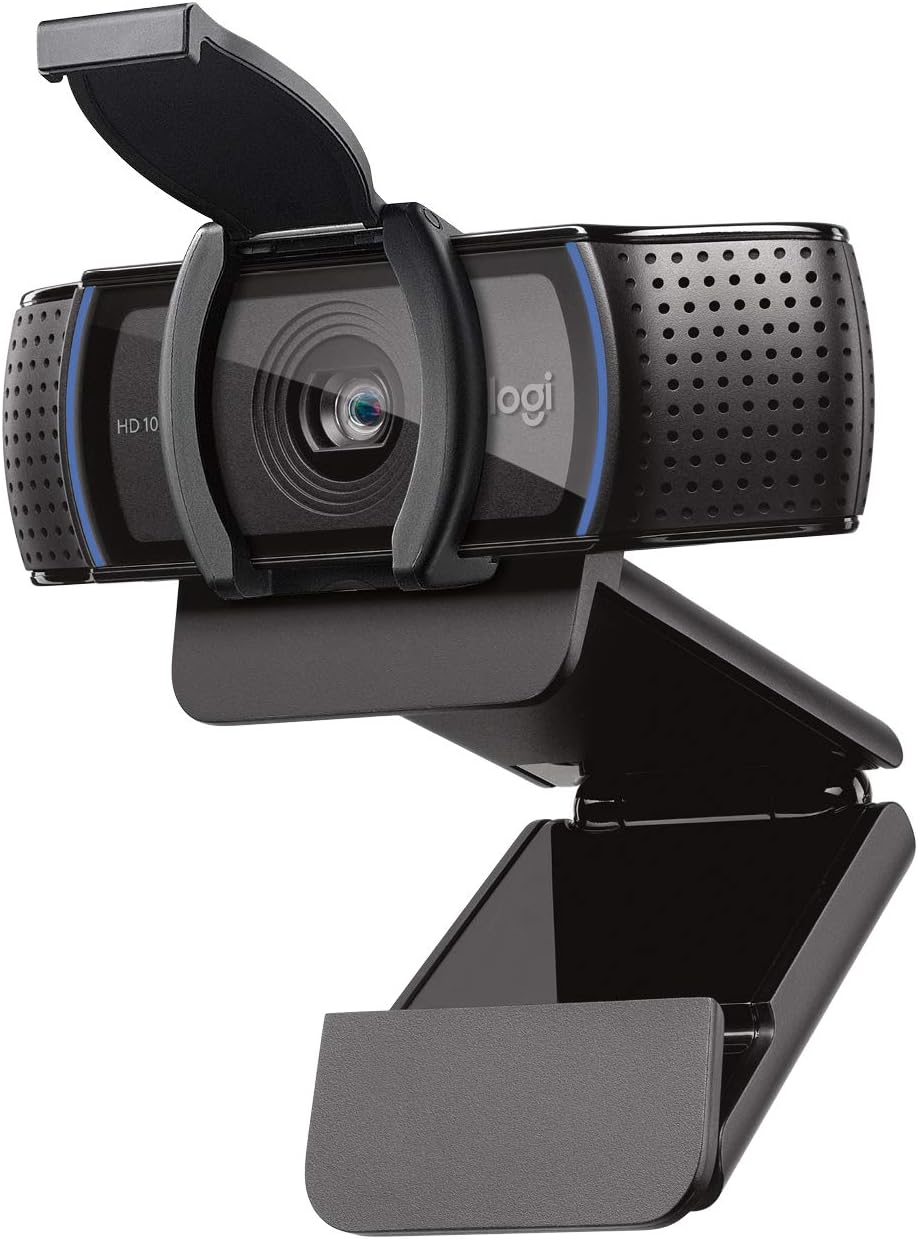
At about $59.99, the C920s(logitech-c920s-hd-pro-webcam-with-privacy-shutter) doubles the budget webcam's resolution to a sharp 1080p, adds a physical privacy shutter, and pairs dual stereo mics with certified compatibility for Zoom, Teams, and Meet. Autofocus occasionally hunts in mixed lighting, a recurring note in reviews, and its USB-A cable runs short enough that you may need a hub or extension to reach the Dell's downstream ports.
✓ Pros
- ✓ Sharper detail and better low-light handling than the budget webcam
- ✓ Physical privacy shutter directly addresses the top budget-webcam complaint
- ✓ Dual stereo mics give noticeably clearer audio on calls
✕ Cons
- ✕ Autofocus occasionally hunts in mixed lighting, a recurring note in reviews
- ✕ The USB-A cable is short, often needing a hub or extension to reach the monitor's ports
Who should stop here: anyone who wants real 4K sharpness for close text and detail work, whose laptop charges fine on 65W, and who's willing to add a headset or speakers to cover the monitor's weak built-in audio.
Premium Tier: Around $720
This tier exists for one reason: 96W of USB-C charging headroom for laptops the two cheaper monitors can't fully keep charged under load. The full setup runs about $719.97, roughly double the mid-range tier, and the extra spend buys charging capacity, color accuracy, and long-term arm durability rather than a resolution jump.
Monitor: LG 27UP850-W 27" 4K UHD USB-C Monitor
The 27UP850-W(lg-27up850-w-27-4k-uhd-usb-c-monitor) matches the Dell's 3840x2160 resolution but pushes USB-C Power Delivery to 96W, enough headroom to fast-charge power-hungry 16-inch laptops like a MacBook Pro that the 65W monitors below it can't fully keep up with under sustained load. It also adds DCI-P3 95% color coverage and VESA DisplayHDR 400, independently measured around 409 to 425 cd/m2 peak rather than an inflated marketing number. HDR400 is the entry rung of HDR certification, so don't expect a dramatic brightness jump over SDR in a sunlit room, and refresh rate stays capped at 60Hz.
✓ Pros
- ✓ 96W USB-C Power Delivery fast-charges even 16-inch power-hungry laptops off one cable
- ✓ DCI-P3 95% color coverage is noticeably more accurate than the mid-tier pick
- ✓ VESA DisplayHDR 400 adds real punch to video and calls versus the SDR-only picks
- ✓ Height, pivot, and tilt stand is included, so a separate arm is optional
✕ Cons
- ✕ HDR400 measured only about 400-425 cd/m2 peak, a modest step over SDR
- ✕ 60Hz refresh remains a limiting factor for anything with fast motion
- ✕ Costs roughly double the mid-range Dell for a similar panel size and resolution
Monitor Arm: Ergotron LX Desk Monitor Arm
The Ergotron LX(ergotron-lx-desk-monitor-arm) is rated for 7 to 25 pounds and up to 34-inch screens, backed by a 10-year warranty, for about $149.99, roughly three times the budget arm's price. Reviewers repeatedly describe it as still performing like new after years of daily adjustment. The main complaint is that the polished aluminum finish shows fingerprints easily, a minor cosmetic gripe next to its reputation for holding position without drift.
✓ Pros
- ✓ 25 lb capacity comfortably handles the LG monitor with headroom to spare
- ✓ 10-year warranty backs its reputation for holding position without drift for years
- ✓ Smooth one-hand height adjustment, easier than either gas-spring arm below it
✕ Cons
- ✕ Costs roughly 3x the budget arm for a similar tilt and swivel range
- ✕ Polished aluminum finish shows fingerprints, a minor but recurring complaint
Webcam: Logitech Brio 4K Webcam
At about $169.99, the Brio(logitech-brio-4k-webcam) shoots 4K at 30fps or 1080p at 60fps, with selectable 65/78/90-degree field of view, HDR, RightLight 3 low-light correction, and Windows Hello IR sign-in. Several reviewers note the jump from 1080p isn't obviously visible on calls that cap resolution anyway, so the real-world upgrade is mostly about how it handles mixed or backlit home-office lighting, not raw sharpness.
✓ Pros
- ✓ RightLight 3 plus HDR noticeably improves image quality in mixed or backlit rooms
- ✓ Selectable field of view lets you frame tightly or show more background
- ✓ Windows Hello IR sign-in is a standout feature the cheaper picks don't have
✕ Cons
- ✕ 4K capture caps at 30fps, and the upgrade over 1080p is subtle on most call platforms
- ✕ Pricier than most people need for day-to-day video calls
- ✕ Some users report occasional driver or companion-app hiccups
Who should stop here: anyone charging a 16-inch or otherwise power-hungry laptop, anyone doing color-sensitive work who wants DCI-P3 accuracy, and anyone who wants an arm they'll never think about again.
Tier Comparison
| Budget | Mid-Range | Premium | |
|---|---|---|---|
| Monitor | BenQ GW2786TC(benq-gw2786tc-27-ips-fhd-usb-c-monitor) | Dell S2722QC(dell-s2722qc-27-inch-4k-usb-c-monitor) | LG 27UP850-W(lg-27up850-w-27-4k-uhd-usb-c-monitor) |
| Panel type | IPS | IPS | IPS |
| Resolution | 1920x1080 | 3840x2160 | 3840x2160 |
| Refresh rate | 100Hz | 60Hz | 60Hz |
| Brightness | 260 cd/m2 typical, 300 peak | 300 cd/m2 typical | ~409-425 cd/m2 peak (HDR400) |
| USB-C Power Delivery | 65W | 65W | 96W |
| Arm weight capacity | 4.4-19.8 lb | 14.3 lb | 7-25 lb |
| Webcam resolution | 720p | 1080p | 4K (30fps) / 1080p (60fps) |
| Tier total | $256.97 | $434.97 | $719.97 |
| Attribute | BenQ GW2786TC 27" IPS FHD USB-C Monitor | Dell S2722QC 27 Inch 4K USB-C Monitor | LG 27UP850-W 27" 4K UHD USB-C Monitor |
|---|---|---|---|
| Rating | 4.5 | 4.4 | 4.5 |
| Price | Not listed | Not listed | Not listed |
| Panel type | IPS | Not listed | IPS |
| Resolution | 1920x1080 (FHD) | Not listed | 3840x2160 (4K UHD) |
| Refresh rate | 100Hz | 60Hz, AMD FreeSync | 60Hz |
| Brightness | 260 cd/m2 typical, up to 300 cd/m2 peak | Not listed | Not listed |
| USB-C Power Delivery | 65W | Not listed | 96W |
| Ports | 1x HDMI, 1x DisplayPort, 1x USB-C (upstream), USB hub, DP-out for daisy-chain | Not listed | 2x HDMI, 1x DisplayPort, 1x USB-C, 2x USB-A downstream |
| Color coverage | 99% sRGB | Not listed | DCI-P3 95% |
| Panel | Not listed | 27 inch IPS, 3840 x 2160 4K | Not listed |
| USB-C | Not listed | DP Alt Mode with 65W power delivery | Not listed |
| Other I/O | Not listed | 2x HDMI 2.0, 2x USB-A 3.2 | Not listed |
| Stand | Not listed | Height, tilt, swivel, pivot; VESA 100 | height / pivot / tilt adjustable, 3-side borderless |
| Speakers | Not listed | Dual 3W built-in | Not listed |
| Brightness / HDR | Not listed | Not listed | VESA DisplayHDR 400 (measured ~409-425 cd/m2 peak) |
| Buy | View on Amazon | View on Amazon | View on Amazon |
Which Tier Should You Buy
Buy the budget tier if your laptop charges fine on 65W and 1080p text looks acceptable to you at 27 inches. The GW2786TC(benq-gw2786tc-27-ips-fhd-usb-c-monitor) with the HUANUO arm(huanuo-single-monitor-arm-adjustable-desk-mount-13-34) and C270 webcam(logitech-c270-hd-webcam) gets a complete single-cable desk done for about $256.97, and the 100Hz refresh is a genuine everyday nicety the pricier tiers don't match.
Buy the mid-range tier if sharp text and detail work matter more than charging headroom. The Dell S2722QC(dell-s2722qc-27-inch-4k-usb-c-monitor) paired with the WALI arm(wali-single-lcd-monitor-gas-spring-desk-mount-gsm001) and C920s webcam(logitech-c920s-hd-pro-webcam-with-privacy-shutter) is the best dollar-for-dollar jump in this guide, real 4K plus a privacy shutter for about $434.97.
Buy the premium tier if you're charging a 16-inch laptop or want an arm you'll never touch again. The LG 27UP850-W(lg-27up850-w-27-4k-uhd-usb-c-monitor), Ergotron LX(ergotron-lx-desk-monitor-arm), and Brio(logitech-brio-4k-webcam) round out a setup that runs about $719.97, built to last years, not just survive the return window.
Whichever tier you land on, the monitor and arm are only half the desk. A good mouse, like the Logitech MX Master 3S, does more for daily comfort than most people expect from an accessory that costs less than the webcam.


