


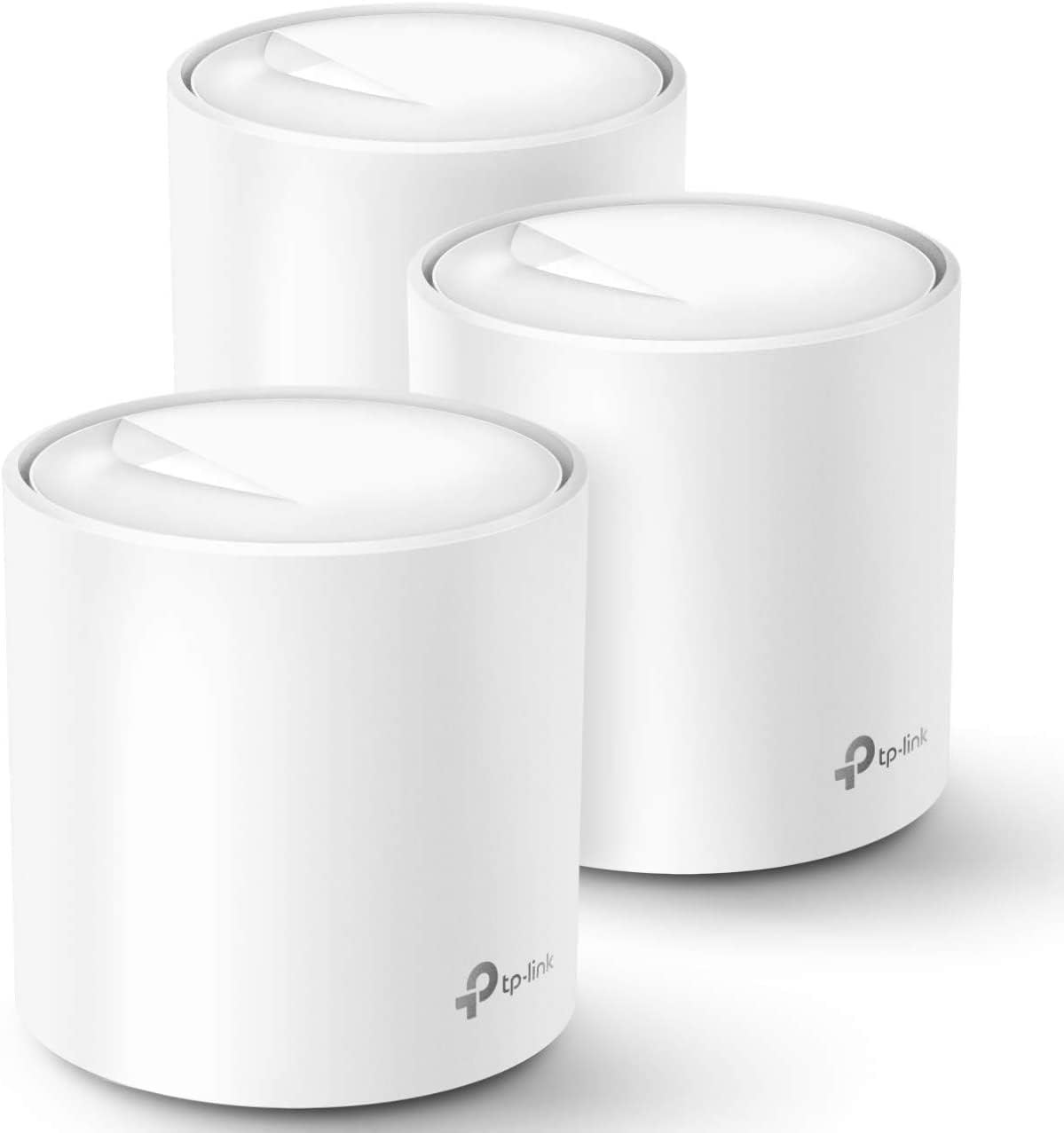
Mesh WiFi is a system of two or more matched routers that work together to blanket your whole home in one seamless wireless network, and it's the fix for anyone who has a strong signal in the living room and nothing in the back bedroom or basement. If you've ever stood in a dead zone refreshing a page that won't load, this is the explainer that gets you from "what is this thing" to "which one do I buy" in one read.
What Is Mesh WiFi, Really
Mesh WiFi replaces the single router-shouting-from-one-spot model with a small team of matched units, called nodes, spread through your house, all broadcasting the same network name so your devices roam between them without you noticing. Think of it like a relay team instead of one sprinter: no single node has to cover the whole distance, it just has to hand the baton to the next one cleanly. That's different from a WiFi extender, which grabs a weak signal and rebroadcasts it under a second network name you have to manually switch to, often at half the speed. A true mesh system uses one app, one network name, and nodes that talk to each other and to your main router as one coordinated unit.
How It Works
Every mesh system has one node wired directly to your modem (the router) and one or more satellite nodes placed elsewhere in the house, and they all communicate over something called backhaul. Backhaul is just the connection the nodes use to talk to each other, and it comes in two flavors: wireless, where a chunk of the WiFi signal is reserved for node-to-node traffic, or wired, where you run an Ethernet cable between nodes for a rock-solid, dedicated link. Wired backhaul is the better performer whenever you can pull cable, because wireless backhaul shares the same radio your devices are using, which is why a system with a dedicated backhaul band (tri-band designs like ASUS's AiMesh) holds speeds better as more devices pile on.
Placement matters more than most people think. A satellite node needs a decent signal from the main router to relay anything worthwhile, so the common mistake is dropping it right at the edge of a dead zone, where it's technically covering the dead spot but starting from an already weak signal itself (below roughly -70 dBm) and passing that weakness along. Put it roughly halfway between the router and the dead zone instead, where it can still see a strong signal (around -65 dBm or better) to relay forward.
Who Actually Needs One
You need mesh if you have more than one floor, more than about 1,500-2,000 square feet, or walls made of brick, plaster, or concrete that a single router's radio can't punch through cleanly. You do not need it if you live in a studio or one-bedroom apartment under about 1,200 square feet with open floor plan and drywall; a single decent router, or a router plus one range extender, will do the same job for less money and one less thing to manage. Mesh also earns its keep if you've counted more than 15-20 connected devices (phones, laptops, streaming sticks, smart plugs, cameras) fighting over one radio, since spreading them across multiple nodes reduces the congestion on any single one.
What to Look For
- Coverage per node: manufacturers rate whole-kit square footage, not per-node, so check the pack size matches your actual home, not just the headline number.
- Backhaul type: wireless-only (cheaper, simpler) versus dedicated tri-band backhaul (pricier, holds up better under heavy device load).
- Ethernet ports per node: matters if you want to hardwire a streaming box, game console, or a NAS for network storage to a node in another room instead of relying on WiFi for it.
- Device capacity: most home mesh kits handle 75-150 devices; count your smart home gadgets, not just your phones and laptops.
- WiFi standard: WiFi 6 is genuinely enough for almost every home right now; WiFi 6E and WiFi 7 add extra spectrum that mostly helps if you already own newer devices that support it and have a lot of them competing for bandwidth. Already own Wi-Fi 7 clients? See Best Wi-Fi 7 Mesh Nodes as Add-Ons in 2026.
- Price versus internet plan: a system rated well below your internet plan's speed becomes the bottleneck, so match the mesh kit's throughput class to what you're actually paying your ISP for.
How Many Nodes You Actually Need
Square footage alone is a rough guide; floor count and wall material change the math just as much.
| Home type | Square footage | Floors | Wall material | Nodes needed |
|---|---|---|---|---|
| Apartment or condo | Under 1,200 | 1 | Drywall | 1 (just a router, skip mesh) |
| Mid-size house | 1,200-2,500 | 1-2 | Drywall/wood | 2 |
| Larger house | 2,500-4,000 | 2 | Drywall/wood | 3 |
| Dense-wall house | 2,500-4,000 | 2+ | Brick/concrete/plaster | 3-4 |
| Sprawling or multi-story | 4,000+ | 3+ | Any | 4+ |
If your home sits between rows, round up rather than down. An extra node placed well beats a strong node forced to cover too much ground.
The Best Mesh WiFi Systems You Can Buy Right Now
Reviews compare current pricing, published specs, and the buyer feedback that actually recurs across thousands of owner reviews to land on four picks that cover the realistic budget range: a cheap way in, a well-rounded default, a smart-home-friendly option, and a performance step-up for bigger or busier homes.
TP-Link Deco X20 AX1800 WiFi 6 Mesh System (3-Pack)
The Deco X20 is the cheapest way to get a real three-unit mesh kit from a name brand, covering up to 5,800 square feet for about $150 and setting up through TP-Link's Deco app in about 10-15 minutes with no separate router required. It handles roughly 150 devices and includes a wired backhaul option, but the AX1800 dual-band radio is the ceiling here: TP-Link's own community forum has a recurring thread of owners reporting speeds well below the rated 1.8 Gbps combined rate on fast fiber connections, so this fits a plan under 500 Mbps far better than gigabit-plus internet.
TP-Link Deco X55 AX3000 WiFi 6 Mesh System (3-Pack)
The Deco X55 is TP-Link's volume seller, and for often just $20-40 more than the X20 on sale, it adds a full extra Ethernet port per node (9 total across the kit) and an AX3000 radio that comfortably handles a 1 Gbps plan. Coverage climbs to 6,500 square feet across three units. The most repeated complaint in owner reviews is periodic full-network reboots or momentary drops, sometimes multiple times a day, especially right after a new device joins, so weigh that against the price if rock-solid uptime is non-negotiable for you.
eero 6+ Dual-Band Mesh WiFi 6 System (3-Pack)
The eero 6+ is the easiest of these four to set up, with reviewers routinely finishing all three units in about 15 minutes through the eero app, and it supports internet plans up to a full gigabit across roughly 75 devices. Its built-in Zigbee hub doubles it as an Alexa smart home hub, which is a real bonus if you're already leaning into that ecosystem. The tradeoff is coverage: 4,500 square feet per 3-pack is less than either TP-Link kit, and the Zigbee hub itself draws recurring complaints about slow device response, sometimes up to 30 seconds, or devices that stop responding altogether.
ASUS ZenWiFi XT9 AX7800 Tri-Band WiFi 6 Mesh System (2-Pack)
The ZenWiFi XT9 justifies its roughly $300 price with a dedicated tri-band backhaul, meaning node-to-node traffic gets its own 5GHz band instead of sharing airtime with your devices, which is exactly the backhaul advantage described above and the reason it holds up better in bigger, busier households. Just two units cover up to 5,700 square feet, matching what three-unit dual-band kits need more nodes to achieve, and a 2.5G WAN port supports multi-gig internet plans the other three picks here would bottleneck. Some owners report nodes occasionally dropping or defaulting devices to the weaker 2.4GHz band after firmware updates, which is worth knowing if you dislike troubleshooting network gear.
| Attribute | Deco X20 AX1800 WiFi 6 Mesh System (3-Pack) | Deco X55 AX3000 WiFi 6 Mesh System (3-Pack) | eero 6+ Dual-Band Mesh WiFi 6 System (3-Pack) | ZenWiFi XT9 AX7800 Tri-Band WiFi 6 Mesh System (2-Pack) |
|---|---|---|---|---|
| Rating | 4.4 | 4.2 | 4.4 | 4.2 |
| Price | Not listed | Not listed | Not listed | Not listed |
| WiFi standard | WiFi 6 (802.11ax), AX1800 | WiFi 6 (802.11ax), AX3000 | WiFi 6 (802.11ax), dual-band | WiFi 6 (802.11ax), AX7800 tri-band |
| Bands | Dual-band (2.4GHz + 5GHz) | Dual-band (2.4GHz + 5GHz) | Not listed | Not listed |
| Coverage (3-pack) | Up to 5,800 sq ft | Up to 6,500 sq ft | Up to 4,500 sq ft | Not listed |
| Ethernet ports | 2 Gigabit ports per unit, 6 total | 3 Gigabit ports per unit, 9 total | Not listed | Not listed |
| Max devices | ~150 | ~150 | 75+ | Not listed |
| Backhaul | Wireless or wired Ethernet | Wireless or wired Ethernet | Not listed | Not listed |
| Internet plan support | Not listed | Not listed | Up to 1 Gbps | Not listed |
| Smart home hub | Not listed | Not listed | Built-in Zigbee hub, Alexa built in | Not listed |
| Channel width | Not listed | Not listed | 160MHz support | Not listed |
| Coverage (2-pack) | Not listed | Not listed | Not listed | Up to 5,700 sq ft |
| WAN port | Not listed | Not listed | Not listed | 2.5G WAN port |
| Mesh technology | Not listed | Not listed | Not listed | AiMesh (works with select existing ASUS routers) |
| Security | Not listed | Not listed | Not listed | Free lifetime AiProtection + parental controls |
| Rooms covered | Not listed | Not listed | Not listed | 6+ rooms |
| Buy | View on Amazon | View on Amazon | View on Amazon | View on Amazon |
✓ Pros
- ✓ One network name, seamless roaming, and central app management across every pick here
- ✓ A budget entry point exists (Deco X20) alongside a genuine step up for bigger homes (ZenWiFi XT9)
- ✓ Wired backhaul is an option on every TP-Link and ASUS kit here if you can run Ethernet
- ✓ Coverage scales with node count, so you can usually add a unit later rather than replace the whole system
✕ Cons
- ✕ Dual-band kits (Deco X20, Deco X55, eero 6+) share bandwidth between devices and node-to-node backhaul, which shows up as slower real-world speeds than the rated max
- ✕ The step up to dedicated tri-band backhaul (ZenWiFi XT9) roughly doubles the price
- ✕ None of these systems fix a bad placement; a satellite node dropped in the wrong spot underperforms regardless of price
Bottom Line
For most homes with a couple of dead zones and an internet plan under a gigabit, the Deco X20 gets rid of the dead spot for the least money. If you're on a full gigabit plan and want more Ethernet ports without paying tri-band prices, the Deco X55 is the sensible default and the one we'd point most readers toward. Alexa households should look at the eero 6+ for the smart home hub alone, and anyone with a bigger, device-heavy home or a multi-gig plan should spend up for the ZenWiFi XT9. Whichever kit you choose, get the node placement and backhaul right first; it matters more than the brand on the box. If you're also setting up a wired home office alongside your mesh network, a docking station on the desk closest to a hardwired node is the cleanest way to get full speed to a single workstation, and a portable SSD plugged into that same setup transfers faster over a wired connection than it ever will over WiFi.


