

USB-C laptops and many "docked" desks still land on a 1G RJ45 (or no Ethernet at all) while the rest of the home already has multi-gig: a 2.5GbE NAS, a Wi-Fi 7 AP backhaul, or a router LAN that can push past Gigabit. A dedicated USB-C (or USB-A) 2.5GbE adapter is the cheapest way to match that path without replacing the laptop or buying a full dock. This roundup is about dongles that actually negotiate 2.5G, not switches, MoCA kits, or PCIe NICs as the hero pick. For the wider desk path (switch, cable, and endpoint), start with Run 2.5GbE to the desk. If you need multi-port switching instead of a single client NIC, see Best Ethernet switches for a faster home network. When the dock already includes multi-gig Ethernet, prefer that over stacking another dongle (Best Thunderbolt 5 docks).
What to Look For
Real 2.5G link, not stuck at 1G. Confirm the OS reports 2.5 Gbps (or 2500 Mbps) on the interface, and that the switch or router LAN port is multi-gig too. A 2.5GbE dongle on a Gigabit switch still works; it just negotiates down to 1G. See 2.5GbE for the standard in plain terms.
Chipset and drivers (Realtek RTL8156 family). Most of these adapters use a Realtek RTL8156 / RTL8156B / RTL8156BG controller. Windows and recent macOS are usually plug-and-play, but older Windows builds and some Linux kernels want a vendor driver for full features (Wake-on-LAN, jumbo frames, stable 2.5G). Prefer brands that publish chipset and OS notes (Plugable and TP-Link are clearer than no-name clones).
USB bus reality. 2.5GbE needs a USB 3.0 / 5 Gbps (or faster) host path. A USB-C port that only does USB 2.0 data, or an unpowered hub in the middle, can leave you at Gigabit or flaky. Direct laptop USB-C or a known USB 3 port on a dock is safer than daisy-chaining through a cheap portable hub. If you are shopping hubs for HDMI instead, see Best USB-C hubs with HDMI 4K60 under $80 and Best USB-C hubs 2026.
Mac versus Windows. Apple silicon Macs generally drive RTL8156-class adapters fine for everyday NAS and downloads. Advanced options (VLAN tagging, jumbo frames, WoL) are more complete on Windows with the Realtek package. Always match driver notes to the OS version you actually run.
Dongle versus dock passthrough. If the dock's built-in NIC is only Gigabit, a USB-C 2.5GbE dongle on a spare USB 3 / Thunderbolt port can unlock multi-gig without replacing the dock. If the dock already has 2.5G (some Thunderbolt 5 docks do), use that and keep the USB tree clean (Best Thunderbolt 5 docks, Best Thunderbolt cables).
Cable: Cat5e versus Cat6. 2.5GBASE-T is designed to run on good Cat5e. Use a short known-good Cat6 when troubleshooting wall runs that refuse to leave Gigabit. Length, terminations, and noise matter more than the marketing print on the jacket.
Size, captive cable, and PD. Stick dongles with short captive USB-C cables travel well. Hybrid USB-C + USB-A kits (Plugable USBC-E2500) cover mixed fleets. PD-passthrough models (USBC-E2500PD) matter when one USB-C port must charge and carry Ethernet at once.
Best Overall: Plugable USBC-E2500
The Plugable USBC-E2500 is the default buy for most desks: Realtek RTL8156B, documented 10/100/1000/2500 Mbps links, and a hybrid USB-C cable plus USB-A converter so the same adapter moves between modern laptops and older USB 3 Type-A hosts. Plugable publishes OS notes that are clearer than most Amazon-only listings.
✓ Pros
- ✓ USB-C and USB-A host flexibility in one kit
- ✓ Documented RTL8156B chipset and OS support notes
- ✓ Strong street price for a known IT-friendly brand
✕ Cons
- ✕ USB-A converter piece is easy to misplace
- ✕ No Power Delivery passthrough (use USBC-E2500PD for that)
- ✕ Advanced features still depend on OS/driver packaging
Who it is for: mixed USB-C / USB-A households, fleet bags, and anyone who wants a named chipset with support docs. Who should skip it: buyers who only need the smallest USB-C travel stick, or who must charge through the same port.
Best Value: Cable Matters USB-C to 2.5Gb Ethernet
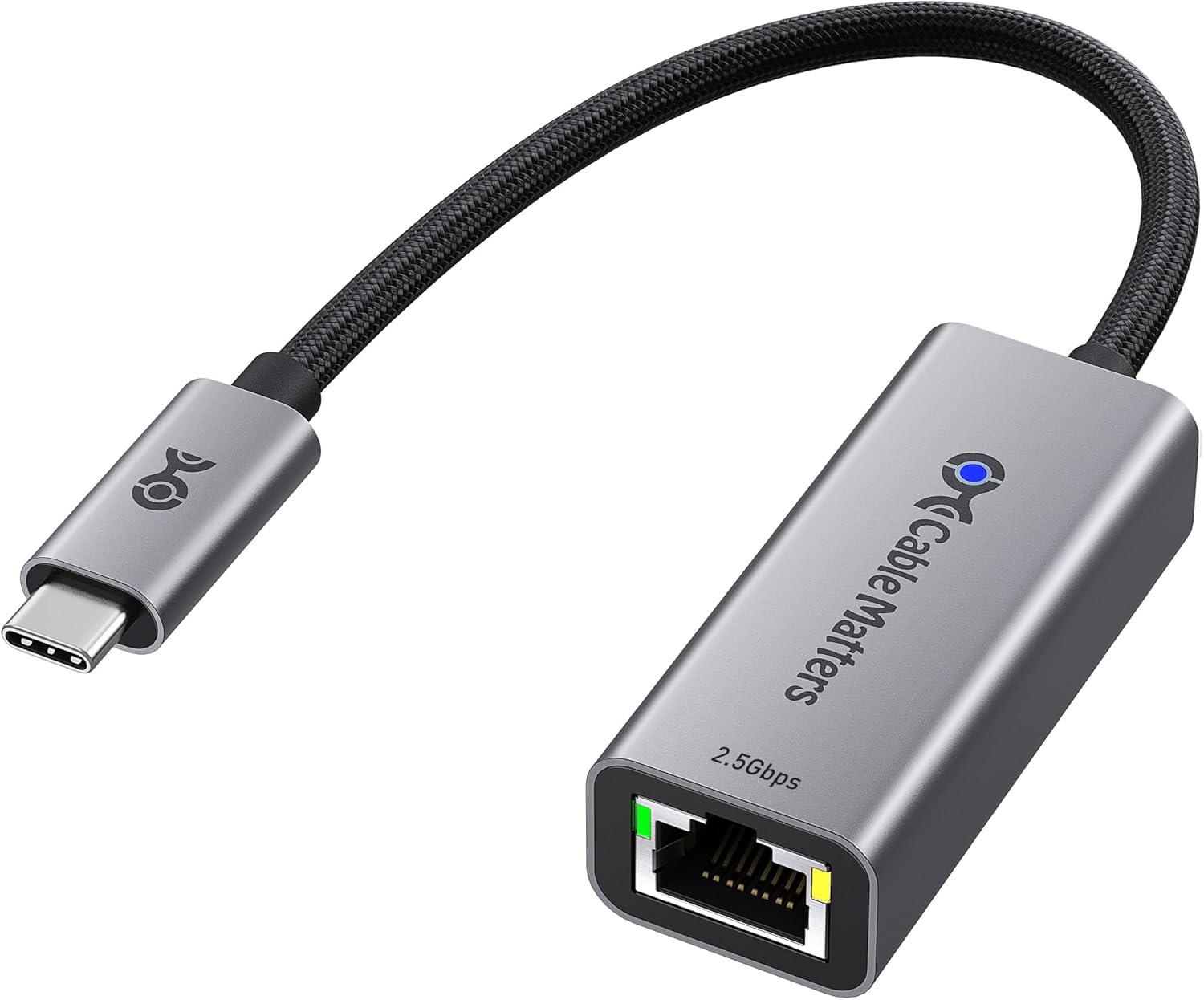
The Cable Matters USB-C 2.5GbE is the price-to-performance workhorse: aluminum shell, braided pigtail, Thunderbolt 4/5 and USB4 host compatibility claims, and the same Realtek-class 2.5G goal as the Plugable without the hybrid USB-A kit. It is the rational pick when every host is already USB-C.
✓ Pros
- ✓ Solid street price for a dedicated 2.5GbE USB-C dongle
- ✓ Aluminum body and braided cable for daily bag use
- ✓ Works on USB-C / Thunderbolt laptop ports without a full dock
✕ Cons
- ✕ USB-C hosts only (no included USB-A converter)
- ✕ Driver install still helps on older Windows / some Linux builds
- ✕ Not a PD-passthrough model
Catch: treat vendor Realtek drivers as optional insurance when the OS sticks at 1G or drops under load, especially after major OS updates.
Best Compact Travel: TP-Link UE302C
The TP-Link UE302C is the bag filler: ~27 g aluminum body, foldable captive cable, and explicit multi-OS plug-and-play notes (with the honest caveat that an OS update can require a newer driver). It is the travel pick when USB-A support does not matter.
✓ Pros
- ✓ Very light foldable design for laptop bags
- ✓ Clear OS support list from TP-Link
- ✓ Aluminum shell aids heat and durability on the go
✕ Cons
- ✕ USB-C hosts only
- ✕ Driver update may be needed after an OS change
- ✕ No PD charging passthrough
Best for MacBook / XPS / USB-C tablet bags. Skip if the adapter must also serve a USB-A desktop or home-server box.
Best Brand Compact: Anker PowerExpand USB-C 2.5GbE
The Anker PowerExpand 2.5GbE is the slim aluminum stick for buyers who already trust Anker chargers and hubs: up to 2.5 Gbps on Cat5e/Cat6, plug-and-play on modern USB-C hosts, and a AA-battery-class weight for travel. It is not the cheapest, but the brand and form factor are familiar next to Anker dock/hub kits.
✓ Pros
- ✓ Compact aluminum travel form with strong brand support
- ✓ Straightforward plug-and-play on modern USB-C laptops
- ✓ Easy add-on next to existing Anker hub or charger kits
✕ Cons
- ✕ USB-C only (no USB-A converter included)
- ✕ Does not support USB 2.0-only hosts for multi-gig
- ✕ No PD passthrough on this model
Who it fits: travelers standardizing on Anker accessories. Skip if you need hybrid USB-A coverage or charging through the same port.
Best Aluminum Value Alt: UGREEN USB-C 2.5GbE
The UGREEN USB-C 2.5GbE pairs an RTL8156BG-class Realtek chip with an aluminum shell at a street price that usually sits next to Cable Matters. It is a solid second source when the Cable Matters or Plugable listing is out of stock, with the usual UGREEN caveat that driver steps for full 2.5G should be followed on older Windows.
✓ Pros
- ✓ RTL8156BG-class chip aimed at cooler 2.5G operation
- ✓ Aluminum body with status LEDs
- ✓ Competitive street price versus branded IT adapters
✕ Cons
- ✕ Marketing sometimes oversells Thunderbolt specifics (it is still a USB 3 NIC)
- ✕ Older Windows may need a driver for full 2.5G
- ✕ Support docs are thinner than Plugable
Best as a value alternate when Cable Matters or Plugable is unavailable. Prefer Plugable when written OS/chipset docs matter more than a few dollars.
Best with PD Charging: Plugable USBC-E2500PD
The Plugable USBC-E2500PD solves the one-port laptop problem: 2.5GbE plus up to 100W-class USB-C PD input so the same host port can charge while Ethernet is connected. Treat "100W" as the supported charging class, not a promise that every notebook receives 100W after adapter and cable overhead.
✓ Pros
- ✓ 2.5GbE and USB-C charging through one host port
- ✓ Same RTL8156B family as the non-PD Plugable
- ✓ Cleaner than stacking a charger dongle beside a NIC
✕ Cons
- ✕ Costs more than network-only adapters
- ✕ Still not a full hub (no HDMI or extra USB data ports)
- ✕ PD headroom depends on charger and cable quality
Buy this when the laptop has one useful USB-C port. Buy a hub or dock instead when you also need HDMI, cards, and multiple USB devices (Best USB-C hubs 2026, Best Thunderbolt 5 docks).
Comparison
| Adapter | Host | Chipset class | PD passthrough | Street price |
|---|---|---|---|---|
| Plugable USBC-E2500 | USB-C + USB-A | RTL8156B | No | ~$20 |
| Cable Matters USB-C 2.5GbE | USB-C | Realtek 2.5G | No | ~$25 |
| TP-Link UE302C | USB-C | 2.5G USB NIC | No | ~$25 |
| Anker PowerExpand 2.5GbE | USB-C | 2.5G USB NIC | No | ~$25 |
| UGREEN USB-C 2.5GbE | USB-C | RTL8156BG | No | ~$26 |
| Plugable USBC-E2500PD | USB-C | RTL8156B | Yes (100W-class in) | ~$30 |
When a Dongle Is the Wrong Buy
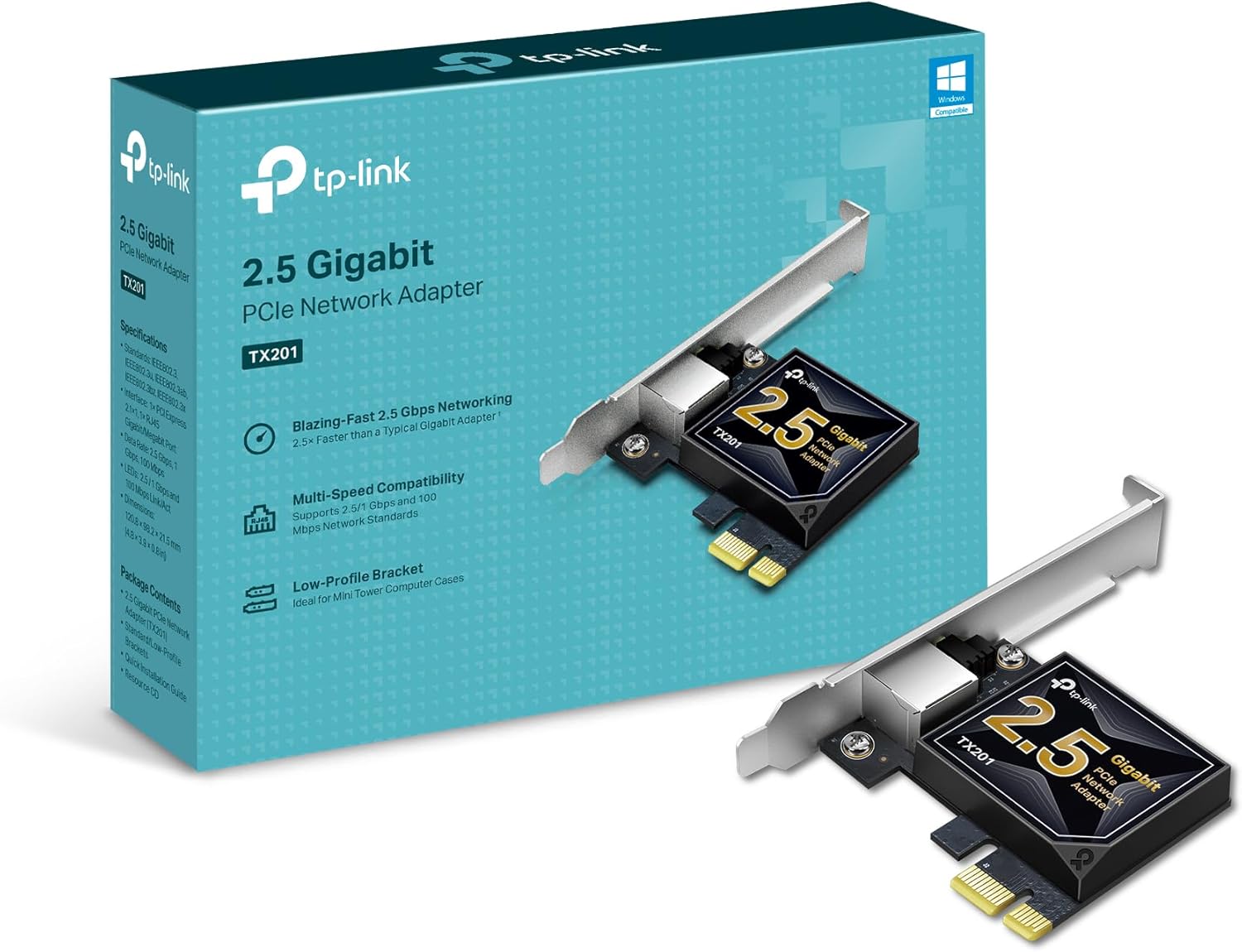
Skip a standalone adapter if the entire path (router LAN, switch, NAS, and internet plan) is still Gigabit and you only need a missing RJ45 for hotel Wi-Fi escapes. A Gigabit USB NIC is enough there. Skip it also when you need HDMI, SD, and several USB ports every day; buy the right hub or Thunderbolt dock once instead of stacking single-purpose sticks. PCIe 2.5G cards remain better for desktops that want a permanent NIC with lower USB overhead (mentioned only as an alternative, not a Best pick here).
The Bottom Line
Start with the Plugable USBC-E2500 when USB-C and USB-A flexibility plus clear docs matter. Take the Cable Matters USB-C 2.5GbE for a simple USB-C value pick, pack the TP-Link UE302C for the lightest travel stick, keep the Anker PowerExpand 2.5GbE or UGREEN USB-C 2.5GbE as brand/stock alternates, and step to the Plugable USBC-E2500PD when the same USB-C port must charge and carry Ethernet.
Wire the rest of the path with Run 2.5GbE to the desk and a multi-gig switch from Best Ethernet switches for a faster home network. If a dock already has multi-gig built in, use that instead of another dongle.