
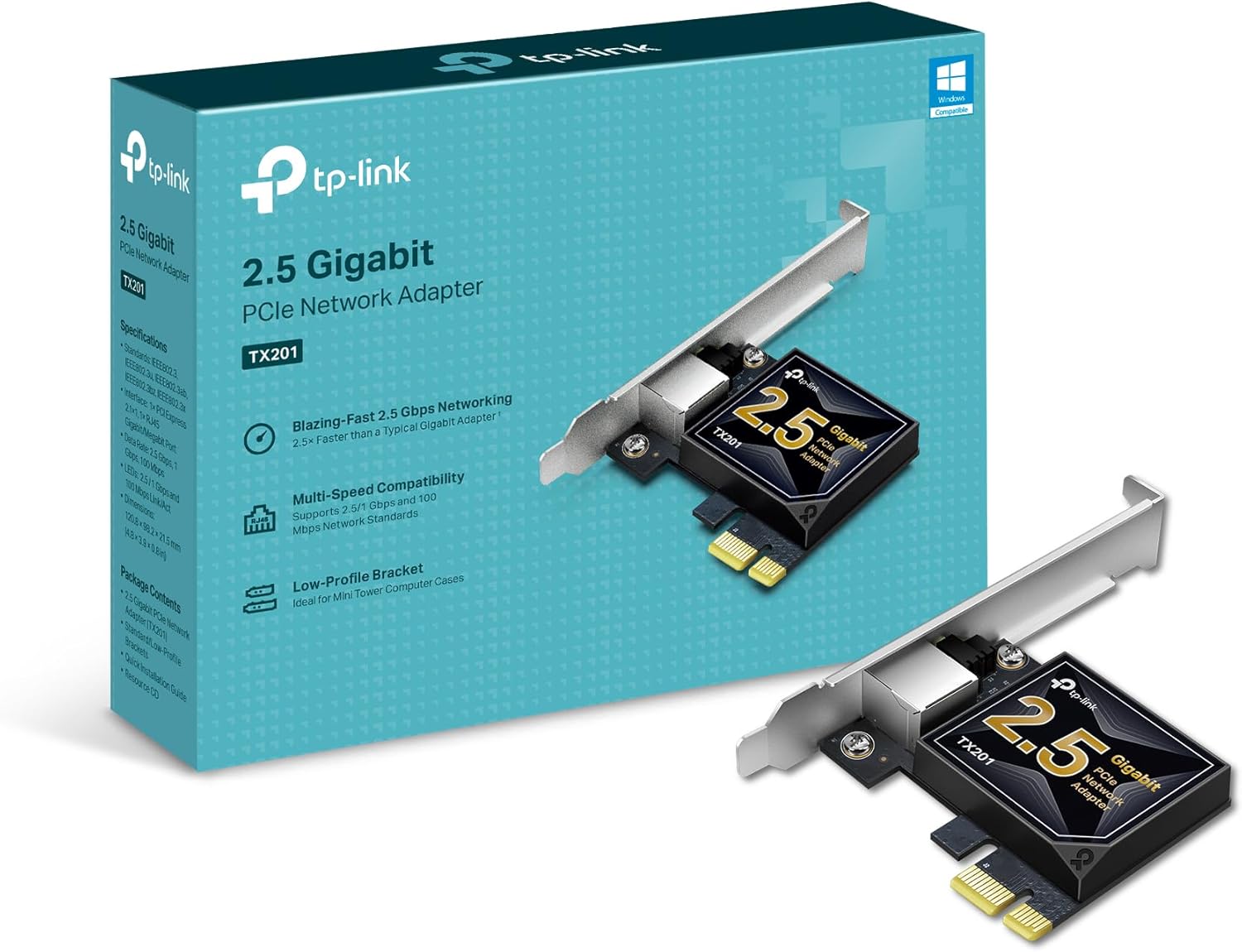


A 2.5GbE PCIe network card is the cheapest permanent way to give a desktop tower, a home server, or a small form factor PC a faster wired link than the Gigabit port on the motherboard. It is a small board that sits in a spare PCIe x1 slot, adds one RJ45 port that negotiates at 2.5 Gbps, and needs nothing else: no dongle hanging off the back, no USB controller in the path, no cable that gets knocked loose when the PC moves. If the rest of the path is already multi-gig (a 2.5GbE switch, a NAS, or a router LAN port that runs faster than Gigabit), the card is the last missing piece.
Why a card instead of a USB adapter in a desktop? A PCIe NIC talks to the CPU directly, so it avoids the USB controller quirks that cause most dongle dropouts (power saving on the USB bus, shared bandwidth with a webcam or drives, hubs in the middle). CPU overhead is lower, link state survives sleep and reboots more predictably, and the card stays put inside the case. USB adapters are still the right answer for laptops and docks, and we cover those in Best 2.5GbE USB-C Ethernet Adapters for Laptops and Docks in 2026. If you want to go past 2.5G, the 10GbE cards and Thunderbolt adapters live in Best 10GbE Thunderbolt and PCIe NICs for Macs and Desktops in 2026. This page is only internal 2.5GbE cards under about $50, plus one M.2 module for mini PCs.
What to Look For
Chipset first: Intel I226-V or Realtek RTL8125B. Nearly every card in this price range uses one of two controllers. Intel's I225-V (the first generation) had a well-known history of link drops on the early B1 and B2 silicon steppings, which is why used and bargain I225 cards are worth avoiding. The newer I226-V is the safer Intel buy and is what we picked. Some early I226-V motherboards also saw occasional disconnect reports, usually fixed by a driver or firmware update or by turning off Energy Efficient Ethernet, so keep drivers current. Realtek's RTL8125B is the other common chip. It has the broadest out-of-the-box support on Windows 10 and 11 and on desktop Linux, where the in-kernel r8169 driver picks it up on modern kernels.
Driver and OS support for what you actually run. For Windows desktops, either chipset is fine. For desktop Linux, RTL8125B is usually plug and play on kernel 5.9 or newer, and the I226-V uses the in-kernel igc driver. For firewall and server builds, phrase your expectations conservatively: on FreeBSD-based pfSense and OPNsense, Intel I226-V cards are the common community recommendation, while Realtek 2.5GbE cards often need Realtek's add-on driver package to behave. On Proxmox and TrueNAS SCALE (both Linux), both chipsets are generally recognized, but forum reports of Realtek link drops under load show up more often than Intel ones. If the box is a router or a hypervisor, lean Intel.
Bracket height. Small form factor and slim cases need a low-profile (half-height) bracket. Every PCIe card on this list ships with both a full-height and a low-profile bracket, but confirm it on the listing before you order any card not named here.
PCIe slot bandwidth is not the bottleneck. A PCIe 2.0 x1 slot carries about 4 Gbps of usable bandwidth in each direction, comfortably more than 2.5 Gbps. Every card here is an x1 card that also fits x4, x8, and x16 slots. The one exception to watch is a very old PCIe 1.x slot, which tops out near 2 Gbps.
Wake-on-LAN and extras. If you power a home server or media PC on remotely, check that the card and the motherboard both support Wake-on-LAN. The TP-Link, BrosTrend, and UEEGO listings call it out directly. VLAN tagging and jumbo frames matter mostly for home lab setups.
You need 2.5GbE on the other end. A 2.5GbE card on a Gigabit switch still works; it just negotiates down to 1 Gbps. To see the speedup you need a multi-gig switch port or router port, and for internet gains a plan faster than 1 Gbps. Our switch picks are in Best 2.5GbE Unmanaged Switches Under $100 in 2026. Good Cat5e handles 2.5GBASE-T on normal home runs; see Best Ethernet Cables: Cat6 vs Cat6a and the Cat6a wiki if a run refuses to leave Gigabit.
Fanless and cool. None of these cards have fans. A 2.5GbE controller draws a few watts at most, so a small heatsink or metal shield is all they need.
Best Overall: TP-Link TX201
The TP-Link TX201 is the default pick for most desktops. It uses a Realtek RTL8125B controller on a PCIe 2.1 x1 card, ships with standard and low-profile brackets, supports Wake-on-LAN, and lists support for Windows 11, 10, and older, Windows Server, and Linux. It also has the deepest owner base by a wide margin, with well over two thousand ratings averaging 4.7 stars on Amazon US, and owners repeatedly report real-world transfers in the 2.2 to 2.4 Gbps range.
✓ Pros
- ✓ Standard and low-profile brackets included
- ✓ Wake-on-LAN and QoS listed on the spec sheet
- ✓ Huge owner base and a 2-year TP-Link warranty
✕ Cons
- ✕ Realtek chipset is a weaker fit for pfSense and OPNsense than Intel
- ✕ A minority of owners report intermittent drops or early failures
- ✕ Linux users may want TP-Link's Realtek driver for full Wake-on-LAN
Who it is for: Windows gaming and work desktops, media PCs, and anyone who wants the safest mainstream 2.5GbE upgrade. Who should skip it: firewall and router builds on FreeBSD, where an Intel I226-V card is the easier path.
Best Intel I226-V Card: Rielincard I226-V
The Rielincard I226-V is the Intel pick for anyone building a router, firewall, or hypervisor. It pairs the Intel I226-V controller (the card itself is a third-party board, not an Intel-branded NIC) with a PCIe 3.1 x1 connector and both 12 cm and 8 cm brackets. Owner reviews specifically mention it working under VMware ESXi 8.0, OPNsense, and TrueNAS, with reported speeds around 2.3 Gbps each way.
✓ Pros
- ✓ Intel I226-V controller, the safer Intel generation
- ✓ Full-height and low-profile brackets in the box
- ✓ Owner reports cover OPNsense, TrueNAS, and ESXi
✕ Cons
- ✕ Smaller review base than the big brands
- ✕ Windows needs Intel's driver pack before first use
- ✕ Stock has been thin on the Amazon listing
Best for: OPNsense or pfSense boxes, Proxmox hosts, and TrueNAS servers that want Intel's driver path. For the rest of a server build, see the Proxmox Home Lab Starter Kit: Host, Switch, Storage and our NAS and homelab hub. Skip it if you just need a Windows desktop upgrade and would rather have TP-Link's support behind the card.
Best for Linux Desktops: BrosTrend P1L
The BrosTrend P1L is built around the promise that it works out of the box on Linux. BrosTrend lists the RTL8125B chipset, a PCIe 2.1 x1 interface, and support for Debian, Ubuntu, Fedora, Arch, and other distros on kernel 5.9 or newer, plus Windows. It adds a metal shield over the controller, Wake-on-LAN, and an extra low-profile bracket. ServeTheHome's mini-review of BrosTrend's RTL8125B 2.5GbE PCIe card found it does exactly what a cheap Realtek card should, and noted that modern operating systems support the chip.
✓ Pros
- ✓ Linux-first support with a clear kernel 5.9+ floor
- ✓ Metal shielding and Wake-on-LAN
- ✓ Low-profile bracket included
✕ Cons
- ✕ Same Realtek caveats as the TX201 for FreeBSD firewalls
- ✕ Small shield rather than a full heatsink
- ✕ Smaller review base than TP-Link
Best for: Ubuntu, Fedora, and Mint desktops and Linux workstations. Prefer Intel for a router or a hypervisor that runs around the clock.
Best Warranty: TRENDnet TEG-25GECTX
The TRENDnet TEG-25GECTX is the business-friendly pick. TRENDnet backs it with a 3-year warranty, lists it as NDAA and TAA compliant, and documents 802.1Q VLAN tagging, 9KB jumbo frames, and a 6.1W maximum power draw on a compact 84 x 64 mm PCIe 2.0 x1 board. Official OS support is Windows and Windows Server. Public hardware databases identify a Realtek RTL8125-family controller, which modern Linux kernels also recognize, but TRENDnet does not promise Linux support.
✓ Pros
- ✓ 3-year warranty with US-based support
- ✓ VLAN tagging and 9KB jumbo frames documented
- ✓ Standard and low-profile brackets included
✕ Cons
- ✕ Official support is Windows only
- ✕ Some owners report the card dying within months
- ✕ No explicit Wake-on-LAN claim on the listing
Best for: small offices and Windows desktops where warranty and support paperwork matter. Skip it for Linux servers or firewalls.
Best Budget: XikeStor I226-V
The XikeStor I226-V is the cheapest way into an Intel I226-V card on this list, around $17 at the time of writing. It has a PCIe 3.0 x1 connector, an aluminum heatsink, and both full-height and low-profile brackets. It also comes up in TrueNAS community threads as a PCIe x1 Intel option. The tradeoff is consistency: its 4.0-star average is the lowest here, and some owners report the card not appearing in Device Manager until they install XikeStor's driver, or not being stable at all.
✓ Pros
- ✓ Lowest price for an Intel I226-V card
- ✓ Aluminum heatsink and both brackets
- ✓ Linux and ESXi 8.0 support listed
✕ Cons
- ✕ Mixed reliability reports in owner reviews
- ✕ Driver install required on Windows
- ✕ Lowest average rating on this list
Best for: tinkerers and home lab builders who want Intel on a tight budget and can return a dud. Spend a few dollars more on the Rielincard if the machine has to just work.
Best for Mini PCs: UEEGO M.2 A+E I226-V
Many mini PCs and micro desktops have no PCIe slot at all, but they do have an M.2 A+E slot holding the Wi-Fi card. The UEEGO M.2 A+E I226-V replaces that Wi-Fi module with an Intel I226-V controller on a 22 x 30 mm M.2 2230 board, connected by a 20.8 cm cable to a separate RJ45 module. UEEGO lists Wake-on-LAN, PXE boot, VLAN filtering, and support for ESXi, OpenWRT, Proxmox, Synology DSM, Windows, and Linux. Owner reviews mention it working in Dell OptiPlex micro machines.
✓ Pros
- ✓ Adds 2.5GbE to mini PCs with no PCIe slot
- ✓ Intel I226-V with Wake-on-LAN and PXE
- ✓ Small RJ45 module on a flexible cable
✕ Cons
- ✕ You give up the built-in Wi-Fi card
- ✕ Some M.2 A+E slots only accept Wi-Fi modules
- ✕ You need a spot to mount the RJ45 module
Before you buy: confirm the slot is M.2 A or E key, 2230 size, and not limited to Wi-Fi modules by the BIOS. If the mini PC already has a 2.5GbE port, add a second port with a USB adapter instead. For hardware that already ships with dual 2.5GbE, see Best Mini PCs for a Home Server in 2026.
Comparison
| Card | Controller | Interface | Low-profile bracket | Wake-on-LAN listed | Street price |
|---|---|---|---|---|---|
| TP-Link TX201 | Realtek RTL8125B | PCIe 2.1 x1 | Yes | Yes | ~$28 |
| Rielincard I226-V | Intel I226-V | PCIe 3.1 x1 | Yes | Not stated | ~$26 |
| BrosTrend P1L | Realtek RTL8125B | PCIe 2.1 x1 | Yes | Yes | ~$23 |
| TRENDnet TEG-25GECTX | Realtek RTL8125 family | PCIe 2.0 x1 | Yes | Not stated | ~$25 |
| XikeStor I226-V | Intel I226-V | PCIe 3.0 x1 | Yes | Not stated | ~$17 |
| UEEGO M.2 A+E I226-V | Intel I226-V | M.2 A+E 2230 | Not applicable | Yes | ~$25 |
When a 2.5GbE Card Is the Wrong Buy
If the router, switch, and NAS are all Gigabit and the internet plan is 1 Gbps or slower, a new NIC changes nothing you can feel. Fix the slowest link first, usually the switch. If the machine is a laptop, buy a USB-C adapter. If you already move big files between a NAS and a workstation every day, consider skipping 2.5G and going straight to 10GbE. And if you are wiring a whole apartment, start with Run 2.5GbE to the Desk: Everything You Need and the Apartment Ethernet Backhaul Kit: Switch, Cable Runs, and Wall Plates. For a multi-gig router with 2.5GbE ports built in, see our Ubiquiti Cloud Gateway Fiber Review.
The Bottom Line
Buy the TP-Link TX201 for a Windows or general-purpose desktop: both brackets, Wake-on-LAN, and the largest owner base. Pick the Rielincard I226-V for a firewall, Proxmox host, or TrueNAS box where Intel's driver path matters, or the XikeStor I226-V if budget comes first and you can live with mixed reviews. Linux desktop users get the cleanest out-of-box experience from the BrosTrend P1L, offices that care about warranty should look at the TRENDnet TEG-25GECTX, and mini PCs without a PCIe slot can trade their Wi-Fi card for the UEEGO M.2 A+E I226-V.
Whatever card you choose, pair it with a multi-gig port on the other end from Best 2.5GbE Unmanaged Switches Under $100 in 2026, or it will sit at Gigabit.


