

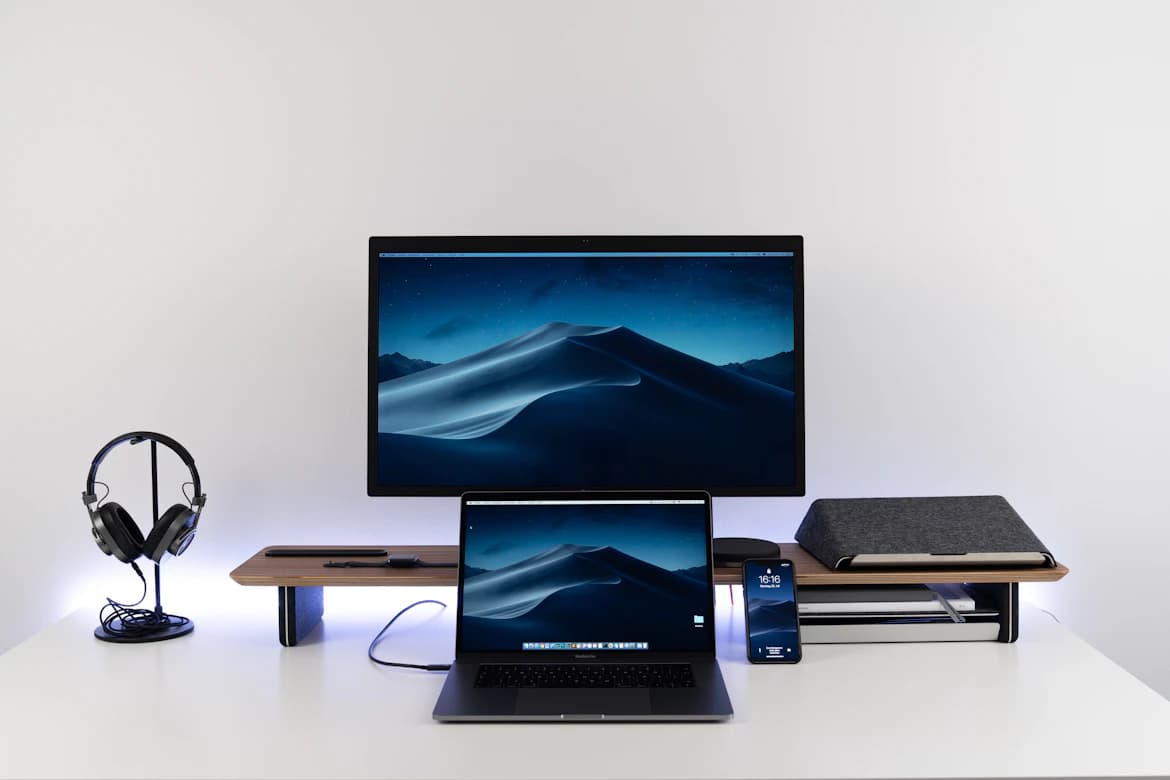


A docking station turns a laptop into a desktop with one cable. Plug in a single USB-C connector and your monitors light up, your keyboard, mouse, and webcam connect, and the laptop charges, all through the same plug. Unplug it and you walk out the door. For anyone working from home on a laptop, it is the biggest desk upgrade per dollar I know of. The catch is that "docking station" covers everything from a $41 hub to a $380 Thunderbolt brick, and the difference is mostly invisible until you connect a second 4K monitor and it refreshes at a choppy 30Hz. Reviews compare the five best-selling options for a home office, using current prices, published specs, and thousands of buyer reviews, to sort out which one you actually need.
What to Look For
The spec that separates a $41 hub from a $380 dock is display bandwidth, so figure out your monitor plans before you spend anything. A USB-C hub gets its video signal through DisplayPort Alt Mode, a single video stream squeezed through the same cable as your data and power. Split that stream across two 4K monitors and each one drops to 30Hz, which makes your mouse cursor feel like it is swimming. Thunderbolt 4 moves 40Gb/s and does not make you choose.
Here is what actually matters at a home desk:
- How your dual monitors are driven. Budget dual-HDMI hubs split one DisplayPort stream using MST, which Windows supports and macOS does not. That is why every USB-C hub in this guide mirrors both external screens on a Mac. Some other budget docks work around this with DisplayLink, which compresses video in software; it works, but it needs drivers, taxes the CPU, and can stutter on video calls. None of these picks use DisplayLink, which is a feature, not a gap.
- Laptop charging wattage. 85W of pass-through charging covers almost any ultrabook. A 16-inch workstation or gaming laptop wants more, and a dock that undercharges will slowly drain your battery during heavy work. Also check what is in the box: three of my five picks need you to supply your own 100W charger.
- The ports you touch daily. Gigabit Ethernet beats spotty home WiFi on every video call. USB-A ports still matter for webcams and wireless keyboard dongles. And if you back up to external SSDs, a 10 Gbps port is the difference between a 2-minute copy and a 20-minute one.
- One dock serves one computer. If you want a work laptop and a personal desktop sharing the same monitors and keyboard, that is a different device; a KVM switch handles that job, and some people run both.
Anker 8-in-1 USB-C Dock: Best Overall for Most Home Offices
For a Windows laptop and two everyday monitors, the Anker 8-in-1 does the entire one-cable job for $40.68. It is the category best seller for a reason: dual HDMI, Gigabit Ethernet, two USB-A ports, and SD/microSD readers, with up to 85W of pass-through charging keeping the laptop topped up over the same cable. Over 7,000 people bought one in the past month, and across 6,528 ratings it holds 4.3 stars. Buyers repeatedly describe the same experience I would want from a home office hub: plug it in on Windows 10 or 11, and everything just appears.
Know the two compromises before you click. First, dual-monitor output drops to 4K@30Hz per screen (a single monitor gets full 4K@60Hz), which is fine for documents and email and noticeably laggy for fast scrolling. Second, on macOS both external monitors mirror the same image. The most-flagged theme in its reviews is reliability, with a minority reporting monitors dropping connection or the laptop not charging; at this price and volume that minority is small, but if your income depends on a rock-solid triple-screen trading setup, spend more. For everyone else, this is the pick.
✓ Pros
- ✓ Cheapest path to two extra screens, and $40.68 undercuts its own $53.99 list price
- ✓ 85W pass-through charging over the single cable
- ✓ Plug-and-play on Windows 10/11 and ChromeOS; buyers consistently call setup easy
- ✓ Compact footprint that hides behind a monitor stand
✕ Cons
- ✕ Dual monitors cap at 4K@30Hz each, and it runs warm under sustained load
- ✕ macOS mirrors both external displays; extended desktops are Windows-only
- ✕ No charger in the box; you need your own 100W PD wall charger for full charging
- ✕ A minority of buyers report dropped monitor connections or charging hiccups
Anker 565 11-in-1: Best Under $60 for Extended Dual Monitors
The Anker 565 is the $50.99 answer to the 8-in-1's biggest weakness: it drives two genuinely different screens. Instead of dual HDMI sharing one signal, it pairs HDMI with a real DisplayPort output, so a Windows laptop with DP 1.4 runs two extended desktops at 2K@60Hz each. It also brings fast data that is rare at this price: one 10 Gbps USB-C and one 10 Gbps USB-A port, plus SD/microSD slots at 104 MB/s, which matters if you offload camera cards or clone backup drives at your desk. Eleven ports total, including Ethernet and a 3.5mm jack, with 85W pass-through charging.
The honest ceiling: dual extended output tops out at 2K@60Hz per monitor (1080p on older DP 1.2 laptops), so dual 4K@60Hz is off the table here too. The named complaint cluster in its 2,564 ratings is display flickering, with a couple dozen buyers describing screens that intermittently go dark, and some units reportedly die around the 6-month mark. If you keep the receipt and register the warranty, that risk is manageable; if intermittent flicker during a client call would be a firing offense, look at the TS4.
✓ Pros
- ✓ HDMI plus DisplayPort gives two truly extended screens on Windows
- ✓ 10 Gbps USB-C and USB-A ports, unusual under $60
- ✓ 11 ports including Ethernet, SD/microSD at 104 MB/s, and an AUX jack
- ✓ $50.99 street against a $69.99 list price
✕ Cons
- ✕ Dual extended video maxes out at 2K@60Hz per monitor, not 4K
- ✕ A small cluster of buyers report intermittent display flickering
- ✕ Some units reportedly fail around six months
- ✕ Charger not included, and macOS still mirrors both external displays
MOKiN 17-in-1: Best for Three Monitors on a Budget
Nothing else at $79.99 hangs three independent 4K@60Hz displays, which makes the MOKiN 17-in-1 the value outlier of this whole guide. You get 3 HDMI and 2 DisplayPort outputs (any three at once, mix and match), 17 ports total including two 10 Gbps USB ports, Gigabit Ethernet, 104 MB/s card readers, and 85W pass-through charging. It holds 4.4 stars across 1,181 ratings, the highest average here alongside the Anker Prime, and a built-in LCD shows live charging wattage and per-display resolution, which is genuinely useful when you are diagnosing why a monitor negotiated 30Hz.
The asterisk buyers keep raising is a strange one: the optional weather display feature broadcasts an open WiFi network, and multiple reviewers say they simply refuse to connect it. You can ignore the feature entirely, but on a privacy-conscious desk it is a fair reason to be annoyed. Practical notes: the vertical tower tips over if your cables are not tidy, extended triple displays are Windows-only (macOS cannot extend three separate desktops through it), and there is no power adapter in the box, so plan on a 100W-plus charger.
✓ Pros
- ✓ Three independent 4K@60Hz monitors from a $79.99 device
- ✓ 17 ports, including two 10 Gbps USB-C/A ports and Gigabit Ethernet
- ✓ Built-in LCD shows real wattage, resolutions, and port status
- ✓ 4.4 stars across 1,181 ratings, with 500+ sold in the past month
✕ Cons
- ✕ The weather widget broadcasts an open WiFi network, a legitimate privacy gripe
- ✕ No power adapter included; a 100W+ charger is recommended at full load
- ✕ Extended triple displays work on Windows only
- ✕ The vertical design tips over easily without cable management
Anker Prime 14-in-1: Best for Charging Everything on Your Desk
Buy the Anker Prime when the dock also has to be your desk's charging station; skip it if dual 4K monitors are the goal. Its 160W total output charges up to four devices at once: three USB-C ports at up to 100W each plus a 12W USB-A, so the laptop, a phone, a tablet, and earbuds all draw from one box. Unlike every other pick under $200 here, the charger is built in and a 100W/10Gbps USB-C cable ships in the box, so the $139.99 price is the whole price. A front-facing display shows real-time power draw per device, and reviewers with power-hungry XPS-class laptops single out the power delivery as the reason they keep it. For the full single-product writeup, see the Anker Prime dock review.
The display story is where it loses people: dual monitors cap at 2K@60Hz (1080p on DP 1.2 laptops), ultrawide 5120x1440 is unsupported, and macOS mirrors both externals. That is the same video ceiling as the $50.99 Anker 565 at nearly triple the money, and some reviewers question the value on exactly those grounds. Reliability is its most-mentioned review theme too, with some buyers reporting inconsistent device connections. This is a charging-first dock with 4.4 stars across a still-young 632 ratings; know that is what you are paying for.
✓ Pros
- ✓ 160W total output fast-charges four devices at once
- ✓ Charger and 100W/10Gbps cable included; nothing extra to buy
- ✓ Live per-port wattage display that owners actually use
- ✓ 11 data ports at up to 10 Gbps plus dual HDMI, Ethernet, and audio
✕ Cons
- ✕ Dual displays cap at 2K@60Hz; no dual 4K, no 5120x1440 ultrawide
- ✕ Same video ceiling as a hub costing a third as much
- ✕ Some buyers report inconsistent device connections
- ✕ macOS mirrors external displays; Linux unsupported
CalDigit TS4: Best Thunderbolt Upgrade
The CalDigit TS4 is what every hub above is compromising toward: real 40Gb/s Thunderbolt 4 bandwidth, dual 6K@60Hz displays with no compression tricks, and 98W charging, at a $379.99 price that exceeds the other four picks combined. Its 18 ports are the deepest here, including three Thunderbolt 4 ports, three USB-C and five USB-A all at a full 10Gb/s, UHS-II card readers, and 2.5GbE Ethernet, 2.5 times faster than the Gigabit jack on everything else in this guide. It still sells 500+ units a month at this price, and reviewers repeatedly call it the best dock available for a MacBook Pro; if you run something like the M4 MacBook Pro, this is the only pick here that gives you two independent high-resolution external displays.
Two cautions from its 1,733 ratings, which average a demanding 4.1 stars. The most specific recurring complaint is the 2.5GbE Ethernet port intermittently disconnecting for some users, which matters more if you bought it partly for wired networking. And base M1 and M2 MacBooks are limited to a single external display by the laptop itself, not the dock (base M3 MacBooks add a second only with the lid closed); that host-chip limit catches buyers out, so check your Mac's spec sheet before spending $380 to fix a problem the dock cannot fix.
✓ Pros
- ✓ 40Gb/s upstream; single 8K@30Hz or dual 6K@60Hz displays
- ✓ 18 ports, all USB at full 10Gb/s, plus UHS-II SD/microSD
- ✓ 98W charging over one included certified Thunderbolt 4 cable
- ✓ 2.5GbE Ethernet, the fastest wired networking in this guide
✕ Cons
- ✕ $379.99 is more than the other four picks combined
- ✕ Some users report recurring 2.5GbE disconnections
- ✕ A minority report units that stop working or stop delivering power
- ✕ Base M1/M2 MacBooks drive only one external display, and base M3 needs the lid closed for two (a host limit)
How the Five Compare
The pattern across the table is simple: under $100 you trade display bandwidth for price, and the TS4 is the only pick with no video compromise. Prices checked July 2026.
| Dock | Price | Best dual-display output | Laptop charging | Fastest data port | Ethernet | Ports | Charger included |
|---|---|---|---|---|---|---|---|
| Anker 8-in-1 | $40.68 | 2x 4K@30Hz | 85W | USB-A (480 Mbps class) | 1 Gbps | 8 | No |
| Anker 565 | $50.99 | 2x 2K@60Hz extended | 85W | 10 Gbps | 1 Gbps | 11 | No |
| MOKiN 17-in-1 | $79.99 | 3x 4K@60Hz | 85W | 10 Gbps | 1 Gbps | 17 | No |
| Anker Prime | $139.99 | 2x 2K@60Hz | up to 100W (160W total) | 10 Gbps | 1 Gbps | 14 | Built in |
| CalDigit TS4 | $379.99 | 2x 6K@60Hz | 98W | 40 Gbps | 2.5 Gbps | 18 | Built in |
| Attribute | Anker 8-in-1 USB-C Docking Station Dual Monitor (PowerExpand) | Anker 565 USB-C Hub (11-in-1) Docking Station Dual Monitor | MOKiN 17-in-1 Triple Display USB-C Docking Station (3 HDMI + 2 DP) | Anker Prime Docking Station (14-in-1, 160W) | CalDigit TS4 Thunderbolt 4 Dock (18 ports) |
|---|---|---|---|---|---|
| Rating | 4.3 | 4.3 | 4.4 | 4.4 | 4.1 |
| Price | Not listed | Not listed | Not listed | Not listed | $379.99approx. · checked Sep 2026 |
| Max video output | 2x HDMI (1x 4K@60Hz or 2x 4K@30Hz) | 1x HDMI + 1x DisplayPort (dual 2K@60Hz on DP 1.4 hosts) | 3x HDMI + 2x DisplayPort (any 3 at once, up to 3x 4K@60Hz) | 2x HDMI (dual 2K@60Hz on DP 1.4 hosts) | Single 8K@30Hz or dual 6K@60Hz (M4 Pro/Max) |
| Pass-through charging | 85W (100W PD input required, charger not included) | 85W (100W PD-in port) | 85W (100W PD input, charger not included) | Not listed | Not listed |
| Data ports | 2x USB-A | Not listed | Not listed | Not listed | Not listed |
| Ethernet | 1 Gbps | 1 Gbps | 1 Gbps | Gigabit | Not listed |
| Card readers | SD + microSD | SD + microSD, 104 MB/s | SD + microSD, 104 MB/s | Not listed | Not listed |
| Total ports | 8 | 11 | 17 | 14 | Not listed |
| OS support | Windows 10/11, ChromeOS (no Linux; macOS mirrors only) | Not listed | Not listed | Not listed | Not listed |
| Fast data ports | Not listed | 1x USB-C 10 Gbps + 1x USB-A 10 Gbps | 2x 10 Gbps USB-C/A | Not listed | Not listed |
| Other USB | Not listed | 2x USB-A 480 Mbps | 2x 5 Gbps USB-C/A + 2x USB 2.0 | Not listed | Not listed |
| Status display | Not listed | Not listed | Built-in LCD (wattage, resolution, port status) | Real-time smart interface (per-port wattage / data speed) | Not listed |
| Total charging output | Not listed | Not listed | Not listed | 160W (3x USB-C up to 100W each + 1x USB-A 12W) | Not listed |
| Data speed | Not listed | Not listed | Not listed | Up to 10 Gbps | Not listed |
| Included cable | Not listed | Not listed | Not listed | USB-C, 3.3 ft, 100W/10Gbps | 0.8m certified Thunderbolt 4 cable |
| Host connection | Not listed | Not listed | Not listed | Not listed | Thunderbolt 4 (USB-C), 40Gb/s, works with M4 TB4/TB5 ports |
| Ports | Not listed | Not listed | Not listed | Not listed | 18: 3x TB4, 3x USB-C 10Gb/s, 5x USB-A 10Gb/s, 2.5GbE LAN, SD + microSD, audio |
| Power delivery | Not listed | Not listed | Not listed | Not listed | 98W to host |
| Buy | View on Amazon | View on Amazon | View on Amazon | View on Amazon | View on Amazon |
The Bottom Line
For most home offices, the Anker 8-in-1 at $40.68 is the answer. One cable in, two monitors, Ethernet, and 85W of charging out; the 4K@30Hz dual ceiling simply does not matter for spreadsheets, docs, and calls. If seeing two different extended desktops matters (it does for most people who try it once), the Anker 565 is the best $50.99 in this guide. Three-monitor Windows setups should go straight to the MOKiN 17-in-1, which does triple 4K@60Hz for $79.99 and nothing else comes close. The Anker Prime is a niche but real pick for a desk drowning in devices that need charging. And if you work on a MacBook Pro or a Thunderbolt PC and your screens are your livelihood, stop compromising and buy the CalDigit TS4; it is the only one here that will not be the bottleneck of your desk five years from now.
