



USB dynamic mics are fine until you buy an XLR podcast mic. Then you need a USB audio interface with a real mic preamp, phantom power for condensers, and usually loopback so OBS or Discord can hear both your mic and system audio. This roundup is for 1- and 2-input USB-C interfaces that fit Wave DX, MV7+, SM7B-class, and similar XLR mics on a creator desk. It is not a USB-mic list (Best USB microphones under $100) and not a full streaming desk kit (Streaming desk three budgets). More creator-desk gear lives under Creator desk.
What to look for
Mic count first. One XLR path is enough for solo streaming. Two XLR preamps matter as soon as a guest sits across from you or you record host plus room mics.
Gain for dynamic mics. Low-output dynamics (SM7B, many Wave DX setups) need generous clean gain. If the preamp tops out early, an inline activator like the Cloudlifter is the usual fix, not a louder USB mic.
Phantom power. Condensers need +48V. Dynamics do not. See Phantom power and XLR if you are still sorting connectors.
Loopback and monitoring. Creators who mix Discord, game audio, or a DAW into OBS want hardware or driver loopback plus direct monitoring so you hear yourself without round-trip lag.
Headphone outs. One jack is fine solo. Two independent headphone outs matter for guest interviews without a separate headphone amp.
Best Overall: Scarlett 2i2 4th Gen
✓ Pros
✕ Cons
Two mic preamps, Auto Gain, Clip Safe, Air modes, and loopback cover most podcast and streaming desks without extras. Pair it with the XLR side of a Wave DX or MV7+ (see Elgato Wave DX vs Rode NT-USB+ and Shure MV7+ vs Elgato Wave 3). Skip to Solo if you will never need a second XLR.
Best Budget Single Mic: Scarlett Solo 4th Gen
✓ Pros
✕ Cons
Same 4th Gen converters and Air modes in a one-mic chassis. Ideal when the desk is just you, one dynamic XLR mic, and maybe a guitar on the Hi-Z jack. If a guest shows up often, spend up to the 2i2 instead of daisy-chaining USB mics.
Best Metering: MOTU M2
✓ Pros
✕ Cons
The full-color LCD makes input and output levels obvious during live streams. ESS conversion, hardware monitoring, MIDI, and loopback fit creators who stare at meters more than Focusrite Auto Gain buttons.
Best Console Preamp: Audient iD4 MKII
✓ Pros
✕ Cons
One Class-A console mic pre, a JFET DI, dual headphone outs, and a compact metal body. Choose this when voice tone through a single excellent preamp matters more than a second XLR channel. Guests can still monitor on the second headphone jack.
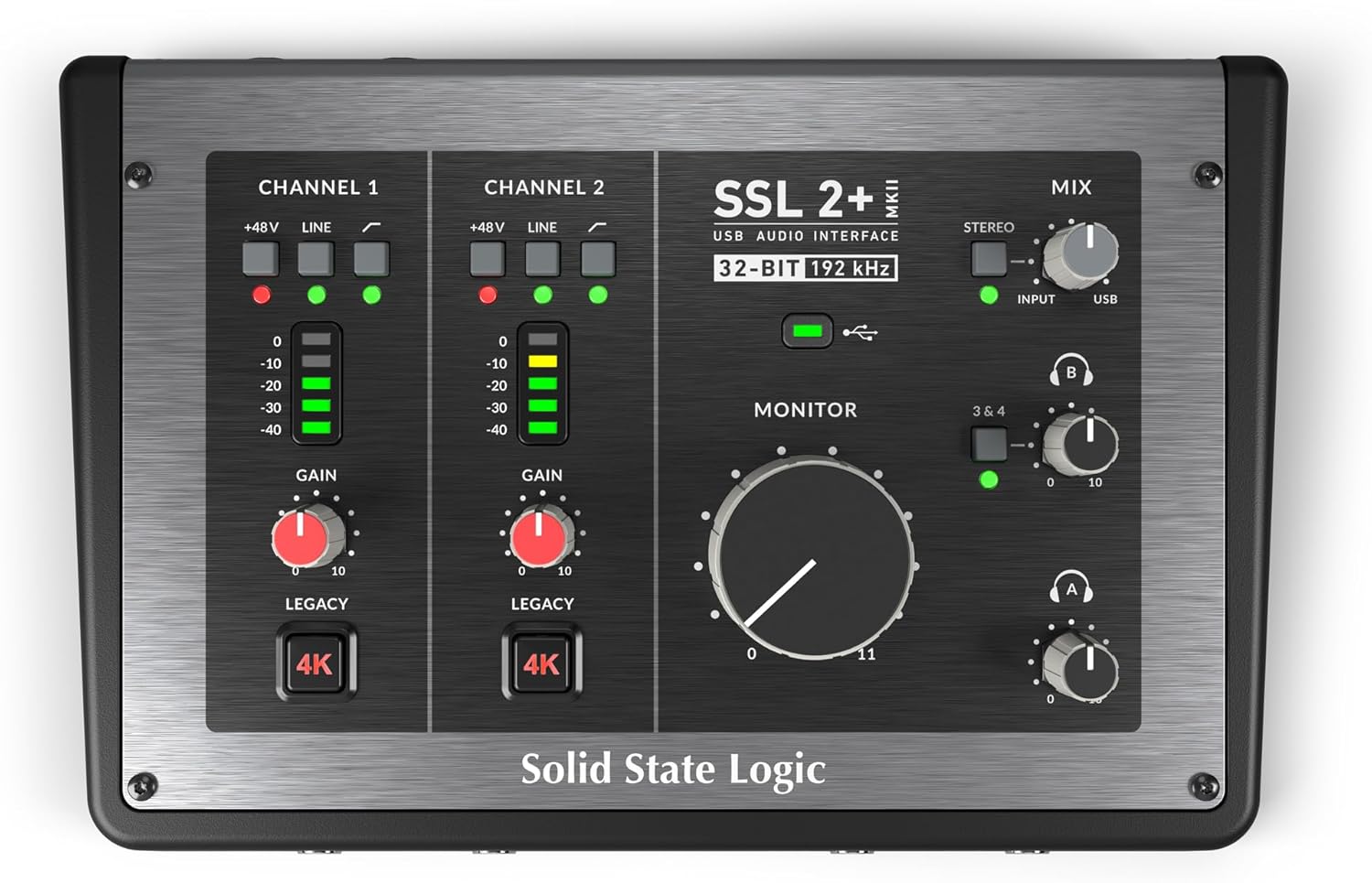
Best Dual-Headphone Desk: SSL 2+ MKII
✓ Pros
✕ Cons
Two mic preamps, two independent headphone outs, four line outs, Legacy 4K color, and stereo loopback. It costs more than a Scarlett 2i2, but it is the cleanest “host plus guest with separate cues” box on this list without adding a headphone amp.
When you still need more gain: Cloudlifter CL-1
✓ Pros
✕ Cons
Not an interface. Sit it between a quiet dynamic mic and any of the boxes above when the preamp is already high and the take is still soft. It draws +48V from the interface and does not pass phantom to the mic, which is what ribbon and many dynamic owners want.
Quick comparison
| Pick | Mic XLRs | Best for | Approx. street |
|---|---|---|---|
| Scarlett 2i2 4th Gen | 2 | Most podcast / stream desks | ~$225 |
| Scarlett Solo 4th Gen | 1 | Solo creators on a budget | ~$160 |
| MOTU M2 | 2 | Visible meters + ESS path | ~$200 |
| Audient iD4 MKII | 1 | Console-style single pre + dual HP | ~$200 |
| SSL 2+ MKII | 2 | Dual headphones + 4 outs | ~$250 |
| Cloudlifter CL-1 | n/a | Extra gain for quiet dynamics | ~$149 |
The Bottom Line
Start with Focusrite Scarlett 2i2 4th Gen for two XLR mics and streaming loopback. Drop to Focusrite Scarlett Solo 4th Gen if you only ever need one mic. Prefer MOTU M2 for meters, Audient iD4 MKII for one console preamp with dual headphones, or SSL 2+ MKII when two independent headphone mixes matter. Add Cloudlifter CL-1 only after the interface gain is maxed and a dynamic mic is still too quiet.


