A quiet Mac mini on Ethernet, a compact sine-wave UPS under the desk, and enough local storage for a Plex library is the finished result this kit targets. Blips and brownouts stop taking the media box down mid-stream, and the shopping list stays mutually compatible instead of a random cart dump.
This method is a BOM-first sibling to the fuller software and service walkthrough at /mac-mini-m4-home-server-guide. Use that hub for Plex, Docker, and always-on service choices. Use this page for the gear that keeps the machine powered, wired, and able to hold media. Who it is for: households that already know they want a Mac mini Plex host and need a compact UPS plus storage path that fits a desk or AV shelf.
What You Need
This is one compatible desk kit, not a mix-and-match catalog. Every core item is a live Amazon US listing already used on the site. Bring your own M.2 NVMe for the Satechi bay; this method does not invent a drive SKU.
Host
The always-on Plex box. The M4 with 16GB unified memory handles typical home-library direct play and light transcodes without tower noise. Gigabit Ethernet is on the rear, so this method stays wired. Plan external storage from day one because the 256GB internal SSD fills fast on server duty.
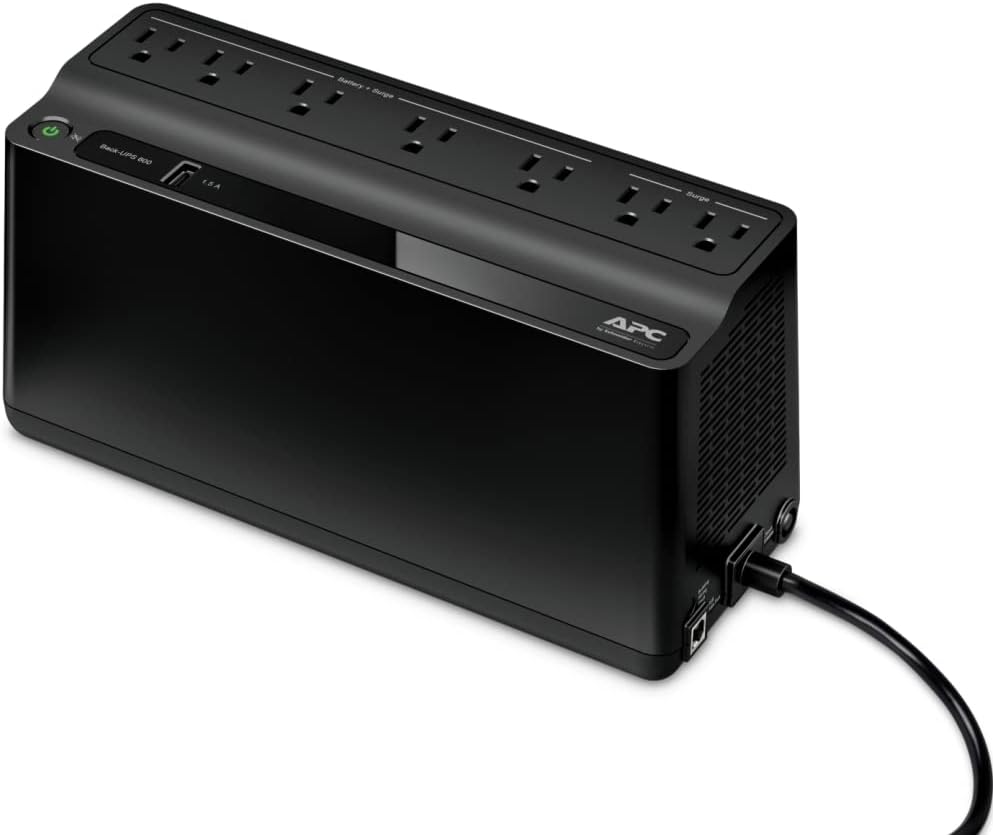
Compact sine-wave UPS
Mac mini power supplies are PFC loads. A pure sine UPS like the CP850PFCLCD (850VA / 510W) is the compact desk pick this method standardizes on, instead of a simulated-sine cube that can confuse the adapter on battery. Expect minutes of runtime for a clean shutdown, not hours of movie night on battery. USB signaling plus PowerPanel (or equivalent) is how this method arms graceful stop.
Stand, hub, and NVMe bay
Molded for the current compact Mac mini M4 chassis, this stand adds USB-A ports and an M.2 bay so the media library lives beside the mini instead of only on the internal 256GB SSD. Bus-powered through the mini USB-C path, so it stays on the same UPS outlet as the host. Add a compatible 2280 (or shorter) NVMe yourself; capacity is a budget choice, not a fixed kit SKU.
Ethernet
Wire the mini to the router or a nearby switch. Plex clients on Wi-Fi are fine; the server uplink should not be. A Cat 6 five-pack covers the mini run plus spares for a TV box or UPS management PC later.
What It Costs
About $860 as of writing for the core kit (Mac mini M4 16GB/256GB + CyberPower CP850PFCLCD + Satechi M4 stand/hub + Cat 6 five-pack). Add whatever you pay for the M.2 NVMe that seats in the Satechi bay (often $60 to $150 for 1TB to 2TB class drives). Skip a separate portable SSD unless you already own one and prefer USB storage over the internal bay.
Step-by-Step Setup
- Unbox the Mac mini M4, update macOS, and give it a stable hostname. Prefer a wired path: connect Cat 6 to the router or switch before relying on Wi-Fi.
- Seat the mini on the Satechi M4 hub and stand. Install your M.2 NVMe in the bay per the stand manual, format it in Disk Utility (APFS is fine for a Mac-hosted library), and point Plex library folders at that volume.
- Plug the Mac mini power adapter into a battery-backed outlet on the CyberPower CP850PFCLCD. Keep high-draw printers and space heaters off this UPS. Connect the UPS USB cable to the mini (or via the hub) and install the vendor shutdown utility so macOS can halt cleanly on low battery.
- Reserve a DHCP address (or set a static LAN IP) for the mini so Plex remote access and clients do not chase a moving address after reboots.
- Install Plex Media Server from the official download, add the library on the NVMe volume, and enable hardware-accelerated encoding in Plex when the library needs transcodes. For Docker, reverse proxies, or a broader always-on stack, follow /mac-mini-m4-home-server-guide rather than duplicating that hub here.
- Smoke-test the UPS path: start a local stream, pull wall power from the UPS input for a few seconds, confirm the mini stays up on battery, then restore power. Separately, confirm the shutdown utility sees the UPS before you rely on it overnight.
Mistakes to Avoid
Bottom line
For a desk-friendly Mac mini Plex host that survives short outages, the M4 16GB/256GB plus CyberPower CP850PFCLCD, Satechi M4 stand with your own NVMe, and Cat 6 is the complete compact kit. Use the /mac-mini-m4-home-server-guide for the software stack once the BOM is on the shelf.