If your TV apps feel slow, crash, or miss a service you pay for, a streaming stick under $50 is the cheapest upgrade that still feels modern. This shortlist is the budget HDMI stick lane: Fire and Roku sticks that usually sit at or under $50 on Amazon US. For the full living-room map across flagship boxes, see Best Streaming Devices for Your TV. If you are ready to spend more on Plex clients, Continuity, or local-media muscle, use today's Apple TV 4K vs NVIDIA Shield TV Pro comparison instead of stretching a stick.
What to Look For
Resolution match beats badge chasing. A 1080p bedroom TV does not need a 4K stick. Buy 4K (with HDR10+ and, when you care, Dolby Vision) for a 4K panel; buy HD sticks when the display tops out at 1080p and you want the lowest price.
Apps, remote, and home screen ads. Every stick under $50 pushes recommendations and free channels. Prefer the OS your household already knows (Fire OS / Vega-class Fire UI versus Roku), and confirm the remote can power and volume your TV so you retire a second clicker.
Wi-Fi and placement. Stick Wi-Fi is usually dual-band. Far rooms and thick walls still need a closer AP or a mesh node; a stick cannot fix a weak living-room signal. See What Is Mesh Wi-Fi and How It Works when coverage is the real bottleneck.
Ads and the home screen. Budget sticks earn money on the home row. You can pin favorites and ignore promotions, but do not expect a blank desktop. That is the trade for sub-$50 pricing versus Apple TV or Shield.
Best Overall: Amazon Fire TV Stick 4K Select
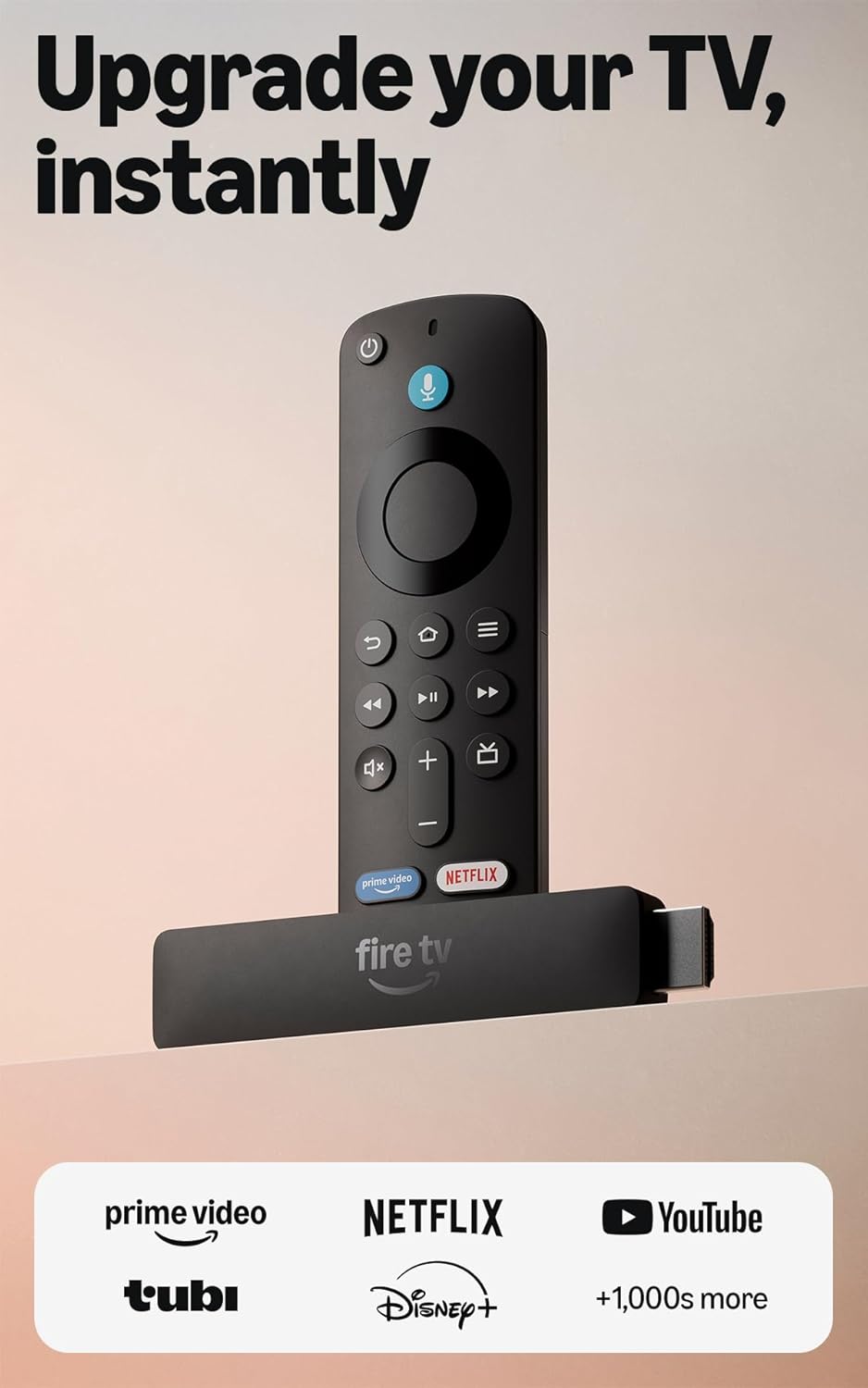
The Fire TV Stick 4K Select is the default under-$50 4K pick when you want current Fire TV UI, HDR10+, Alexa voice search, and major apps without jumping to Plus or Max pricing. It is the essential 4K stick Amazon positions for first-time upgrades, not the Wi-Fi 6E Max flagship.
✓ Pros
- ✓ True 4K Ultra HD with HDR10+ at a hard under-$50 list
- ✓ Alexa Voice Remote with TV power and volume on compatible sets
- ✓ Newest Fire TV home experience with free ad-supported apps
✕ Cons
- ✕ Wi-Fi 5 class radios, not Wi-Fi 6E like Fire Stick 4K Max
- ✕ Vega-class Fire OS limits some niche and sideload workflows
- ✕ Home screen still promotes Amazon content and deals
Who it is for: households with a 4K TV that want Alexa, Prime Video depth, and a one-remote upgrade under $50. Who should skip it: Roku loyalists, or buyers who need Dolby Vision and the cleaner Roku channel layout.
Best for Dolby Vision: Roku Streaming Stick 4K
The Roku Streaming Stick 4K is the stick to buy when picture formats and Roku's simple channel grid matter more than Alexa. It supports 4K with Dolby Vision and HDR10+, packs a long-range Wi-Fi receiver, and keeps the classic slim stick form that hides behind the TV.
✓ Pros
- ✓ 4K with Dolby Vision and HDR10+ in a true stick design
- ✓ Long-range Wi-Fi receiver helps rooms farther from the router
- ✓ Voice remote with TV power, volume, and mute
✕ Cons
- ✕ Street price sits at the top of the under-$50 band
- ✕ Roku Channel ads and sponsored rows are part of the deal
- ✕ No Alexa-first smart-home depth if that is your ecosystem
Best for 4K TVs that speak Dolby Vision and viewers who already live in Roku apps. Skip if you want Alexa everywhere or the absolute cheapest 4K Roku stick (use Stick Plus below).
Best Budget 4K: Roku Streaming Stick Plus
The Roku Streaming Stick Plus is the value 4K Roku when street pricing drops well under $40. You still get 4K and HDR10+ with a voice remote, without paying the Streaming Stick 4K's Dolby Vision premium. Treat current Amazon pricing as the buy signal; this SKU moves often on deal days.
✓ Pros
- ✓ 4K HDR10+ streaming at a street price often far under $40
- ✓ Compact stick form with Roku voice remote and free live channels
- ✓ Easy upgrade path if you already know the Roku interface
✕ Cons
- ✕ HDR10+ focused; Dolby Vision buyers should prefer Streaming Stick 4K
- ✕ Deal pricing swings; confirm the live Amazon price before you buy
- ✕ Same Roku home-row promotions as other budget Rokus
Buy this when you want 4K Roku for the least money. Spend up to Streaming Stick 4K when Dolby Vision titles are the reason you opened this guide.
Best for HD TVs: Amazon Fire TV Stick HD
The Fire TV Stick HD is the honest HD pick: Full HD (not 4K), Wi-Fi 6, Alexa Voice Remote, and Direct Power via the included USB-C cable on many TVs so you can skip a wall wart. Use it on 1080p sets, guest rooms, and travel TVs where 4K is wasted.
✓ Pros
- ✓ Fast HD stick with Wi-Fi 6 and the newest Fire TV layout
- ✓ Direct Power from many TV USB ports (no wall adapter needed)
- ✓ Ultra-portable slim profile for travel and spare TVs
✕ Cons
- ✕ Caps at 1080p; wrong buy for a 4K living-room panel
- ✕ Some buyers report tighter app or sideload limits than older Fire OS sticks
- ✕ Alexa+ extras still lean on Prime for the full experience
Best for older HD TVs and portable setups. Skip if the TV is 4K; buy Select or a Roku 4K stick instead.
Comparison
| Stick | Max resolution | HDR highlights | OS / remote | Best use | Street price |
|---|---|---|---|---|---|
| Fire TV Stick 4K Select | 4K | HDR10+ | Fire TV + Alexa | Best overall under $50 | ~$50 |
| Roku Streaming Stick 4K | 4K | Dolby Vision, HDR10+ | Roku + voice remote | Best Dolby Vision stick | ~$50 |
| Roku Streaming Stick Plus | 4K | HDR10+ | Roku + voice remote | Best budget 4K | ~$28 to $45 |
| Fire TV Stick HD | 1080p | HDR10 / HDR10+ where supported | Fire TV + Alexa | Best HD / Direct Power | ~$40 |
The Bottom Line
Start with the Fire TV Stick 4K Select when you want a current 4K Fire stick at a hard under-$50 price. Choose the Roku Streaming Stick 4K for Dolby Vision and Roku's channel grid, or the Roku Streaming Stick Plus when the street price is the whole point. Keep the Fire TV Stick HD for 1080p TVs and Direct Power travel setups. For flagship living-room boxes above this budget, stay on Apple TV 4K vs NVIDIA Shield TV Pro and the broader Best Streaming Devices for Your TV hub.