



Laptop headphone jacks (when they exist) and motherboard audio often sound thin, hissy, or too quiet once you plug in better headphones. A USB headphone DAC is a small external converter that takes digital audio over USB and drives a 3.5 mm (or balanced) jack with cleaner power. For desk calls and streaming, that usually means better monitoring while a separate USB mic handles your voice. This shortlist focuses on plug-and-play USB DACs that fit a WFH or creator desk, not full desktop amp stacks. Pair monitoring gear with a mic boom from the streaming desk budgets guide when you are building the whole kit.
What to Look For
Calls vs music-only dongles. If you use a TRRS headset with a built-in mic on Windows, prioritize a DAC that keeps the mic path (Play! 4). Most hi-fi dongles (KA11, GO Link, TempoTec) are headphone-out only. Keep your USB microphone as the Teams or Zoom mic and use the DAC only for playback.
Power and impedance. Easy IEMs are fine on almost anything. Harder 80 to 250 ohm headphones need more milliwatts. Spec sheets quote 16 ohm and 32 ohm numbers; treat them as relative, not lab guarantees. KA11 publishes about 200 mW at 32 ohm; GO Link is closer to 70 mW at 32 ohm.
USB-C, USB-A, and class compliance. Prefer USB-C with a USB-A adapter in the box for older docks. Windows and macOS usually enumerate these as USB Audio devices with no driver install. Confirm Zoom/Teams is set to the DAC for output and your mic for input.
Jack types. Single-ended 3.5 mm covers most desk headphones. Balanced 4.4 mm on the BHD Pro matters only if your cable is balanced. Skip balanced until you own the cable.
Desk clutter. Fixed short cables (GO Link) stay tidy. Stick-style dongles (KA11, Play! 4) hang off the laptop or front USB. Avoid stacking four adapters on a crowded Thunderbolt dock port.
Best for Calls: Creative Sound Blaster Play! 4
✓ Pros
✕ Cons
Buy the Play! 4 when the goal is clearer Teams and Zoom with a phone-style headset, not audiophile detail. It is the only pick here built around call features: headset TRRS support plus Creative's Windows call helpers. Use it when coworkers still cannot hear you cleanly on the stock laptop jack. If you already run a dedicated USB mic and closed headphones, skip to the KA11 or GO Link for playback quality instead.
Best Overall: FiiO KA11 USB-C
✓ Pros
✕ Cons
The KA11 is the default music and monitoring step-up once you already have a USB mic for calls. It is small, bus-powered, and louder into typical IEMs and portable headphones than phone or laptop jacks. Keep Teams output on the KA11 and input on your mic. Skip it if you need a headset mic on the same 3.5 mm plug; that is the Play! 4 job.
Best Refined Dongle: iFi GO Link
✓ Pros
✕ Cons
Choose the GO Link when you want a neater cable, included adapters, and a more polished desktop feel than a metal stick. It is still a monitoring DAC for calls, not a headset. Pair it with closed headphones so your stream or open office does not hear your cue mix. If you need maximum volume into harder headphones on a budget, the KA11 usually wins on power per dollar.
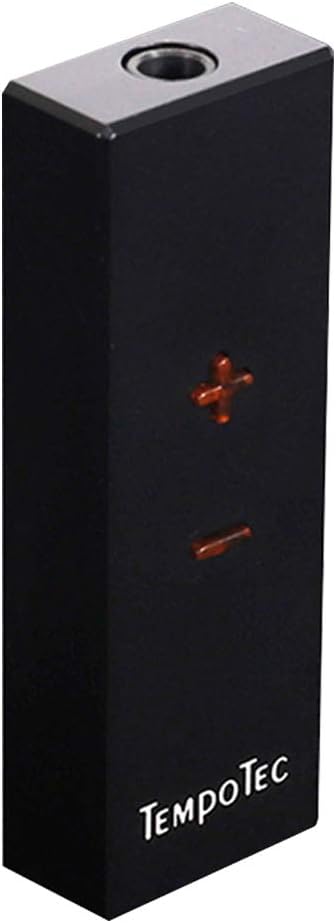
Best Budget Music Dongle: TempoTec Sonata HD Pro
✓ Pros
✕ Cons
The Sonata HD Pro is the value CS43131 stick when you want hardware volume and do not need Creative's call stack. Confirm you are buying the USB-C (Android/Type-C) version for modern laptops. Use it for music and stream monitoring; keep voice on a USB mic. If you already prefer FiiO's retail packaging and firmware app, the KA11 is the cleaner buy at a similar price.
Best Balanced: TempoTec Sonata BHD Pro
✓ Pros
✕ Cons
Take the BHD Pro when balanced IEMs are already in the kit and you want one dongle that covers single-ended and 4.4 mm. For a plain Zoom headset or a single 3.5 mm studio headphone, the KA11 or GO Link is simpler. Do not buy balanced "for the future" unless the cable is already on your desk.
Comparison
| DAC | Best for | Jack | Mic path | Typical street |
|---|---|---|---|---|
| Play! 4 | Zoom/Teams headset calls | 3.5 mm CTIA | Yes | ~$17 |
| FiiO KA11 | Power / default music step-up | 3.5 mm | No | ~$33 |
| iFi GO Link | Refined cable + adapters | 3.5 mm | No | ~$59 |
| Sonata HD Pro | Budget CS43131 + volume keys | 3.5 mm | No | ~$34 |
| Sonata BHD Pro | 3.5 + 4.4 balanced | 3.5 / 4.4 | No | ~$60 |
The Bottom Line
For headset-based Zoom and Teams, start with the Creative Sound Blaster Play! 4. For monitoring while a USB mic handles your voice, pick the FiiO KA11 USB-C as the default, the iFi GO Link when you want a nicer cable and adapters, the TempoTec Sonata HD Pro for budget CS43131 value, or the TempoTec Sonata BHD Pro when you already need 4.4 mm. Build the rest of the call stack with a mic from the under-$100 USB mic guide and a desk layout from the streaming desk budgets page.


