

| Cable | Length | Power claim | Data / video | Best for |
|---|---|---|---|---|
| Anker 100W 2-pack | 6 ft | 100W | 480 Mbps / no video | Default desk kit |
| Anker 100W 2-pack | 3.3 ft | 100W | 480 Mbps / no video | Tight docked setups |
| UGREEN 100W 2-pack | 1.6 ft | 100W | 480 Mbps / no video | Travel and laptop stands |
| Anker 100W | 10 ft | 100W | 480 Mbps / no video | Across-the-room charging |
| JSAUX 100W 2-pack | 6.6 ft | 100W | 480 Mbps / no video | Cheap spares |
| Cable Matters braided | 10 ft | 100W | Charge-focused | Long braided runs |
| Cable Matters USB4 | Varies by SKU | High-watt PD | 20 Gbps | Dock and data links |
On this page
Our picks
- Best overall desk packAnker USB C to USB C Cable, 100W Fast Charging Cable (2-Pack, 6 ft)E-Marked 100W twin pack with huge review volumeUnder $50Check price on Amazon
- Best short desk cableAnker USB C to USB C Cable, 100W Fast Charging Cable (2-Pack, 3.3 ft)Same Anker formula in a tidier lengthUnder $50Check price on Amazon
- Best budget short packUGREEN 100W USB C to USB C Cable, Fast Charging, 2-Pack, 1.6ftTrue 100W e-Marker at a short, cheap 2-pack priceUnder $50Check price on Amazon
- Best long charging cableAnker USB C to USB C Cable, 100W Fast Charging Cable (1-Pack, 10 ft)10 ft reach without abandoning 100WUnder $50Check price on Amazon
- Best cheap multipackJSAUX 100W USB C to USB C Cable (2-Pack, 6.6 ft)Low cost per e-Marked cableUnder $50Check price on Amazon
- Best long Cable Matters optionCable Matters Braided Long USB C Cable, Up to 100W Charging, 10 ftSpecialty-cable brand alternative for 10 ftUnder $50Check price on Amazon
- Best when you also need fast dataCable Matters USB-IF Certified 20Gbps USB C Cable / USB4 Cable20 Gbps when charge-only cables are not enoughUnder $50Check price on Amazon
Find your match
Top picks at a glance

Best overall desk pack
Anker USB C to USB C Cable, 100W Fast Charging Cable (2-Pack, 6 ft)
Under $50
Check price on Amazon
Best short desk cable
Anker USB C to USB C Cable, 100W Fast Charging Cable (2-Pack, 3.3 ft)
Under $50
Check price on Amazon
Best budget short pack
UGREEN 100W USB C to USB C Cable, Fast Charging, 2-Pack, 1.6ft
Under $50
Check price on Amazon
Best long charging cable
Anker USB C to USB C Cable, 100W Fast Charging Cable (1-Pack, 10 ft)
Under $50
Check price on Amazon
Best cheap multipack
JSAUX 100W USB C to USB C Cable (2-Pack, 6.6 ft)
Under $50
Check price on Amazon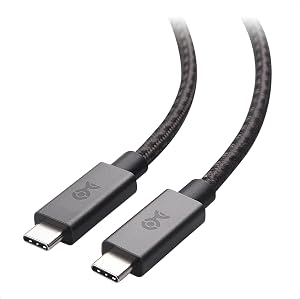
Best long Cable Matters option
Cable Matters Braided Long USB C Cable, Up to 100W Charging, 10 ft
Under $50
Check price on Amazon
Best when you also need fast data
Cable Matters USB-IF Certified 20Gbps USB C Cable / USB4 Cable
Under $50
Check price on Amazon
What to look for
How we chose: We prioritized currently sold Amazon US cables that explicitly advertise 100W (20V/5A) or USB4 high-speed links, then ranked by length fit, review consistency, and whether the cable is charge-only or also useful for docks.
We judged on: Confirmed 100W or USB4 high-watt rating · E-Marker or USB-IF certification language · Length options for desk vs travel · Review volume and recurring complaints · Whether video/data is required.
A 100W USB-C charger cannot deliver 100W through a random cable. Above 60W the cable needs an e-Marker chip that advertises 5A. Without it, Power Delivery quietly caps closer to 60W even when the brick and laptop are willing to go higher.
This accessory guide pairs with The Best USB-C Chargers for Your Laptop and Phone in 2026. Every cable below is currently sold on Amazon US.
Compatibility bar
Only cables that explicitly claim 100W (or USB4 with high-watt PD) made this list. If a listing hedges at "fast charging" with no watt figure and no e-Marker mention, it stayed out.
Best overall desk pack
✓ Pros
- ✓ Twin 6 ft e-Marked cables cover desk and travel
- ✓ Enormous review sample at 4.7 stars
- ✓ Nylon braid holds up to daily flexing
✕ Cons
- ✕ No video output
- ✕ USB 2.0 data only
Best short desk cable
Short cables keep a closed laptop tidy beside a GaN brick. If your charger already sits under the monitor arm, this length is the cleaner default.
Best budget short pack
Best long charging cable
Best cheap multipack
Best long Cable Matters option
Best when you also need fast data
How to spot a fake 100W cable
Listings love the words "fast charging." That phrase alone is not a 100W promise. Before you buy:
- Look for 100W, 20V/5A, or e-Marker in the bullet list.
- Prefer brands that publish USB-IF language on higher-end SKUs.
- Be suspicious of 10 ft no-name cables priced under $5 that claim 240W.
- After purchase, confirm on the laptop: macOS and Windows both show charger wattage in battery details when the handshake succeeds.
Length cheat sheet
- 1.5 to 3.3 ft: laptop stand, docked closed-lid desk, travel pouch.
- 6 to 6.6 ft: floor brick under the desk, typical home-office default.
- 10 ft: couch, kitchen island, hotel room with distant outlets.
Buy one short and one long. That covers more real days than a single "universal" length.
The bottom line
If you only charge a laptop from a 100W-class GaN charger, buy the Anker 100W 6 ft 2-pack or the UGREEN short 2-pack and stop. Step up to the Cable Matters USB4 cable only when the same cable must also move data or feed a dock.
Frequently asked questions
- Do I need a 100W cable for my phone?
- Usually no. Most phones never draw 5A. A 100W cable still works, but a 60W cable is enough for phones and many tablets.
- What does an e-Marker chip do?
- It tells the charger and device the cable can safely carry 5A, which is required for 100W PD.
- Why will my 100W charger only push about 60W?
- The cable is the usual bottleneck. Swap in a confirmed 100W e-Marked cable and retest.
- Can these cables drive a monitor?
- Most charge-only 100W cables cannot. You need a cable that explicitly supports DisplayPort Alt Mode, USB4, or Thunderbolt.
- Is a 240W cable better?
- It is backward compatible and future-proof, but unnecessary if your laptop tops out near 100W.


